 Singapore
Singapore Visa and Passport Photo 2026: ICA Requirements, Size (35x45 mm / 400x514 px) and Upload Rules
Updated ICA requirements for Singapore visa and passport photos in 2026: digital size of 400x514 pixels, white background, and glare-free upload.

In this article · 6 sections
Key points
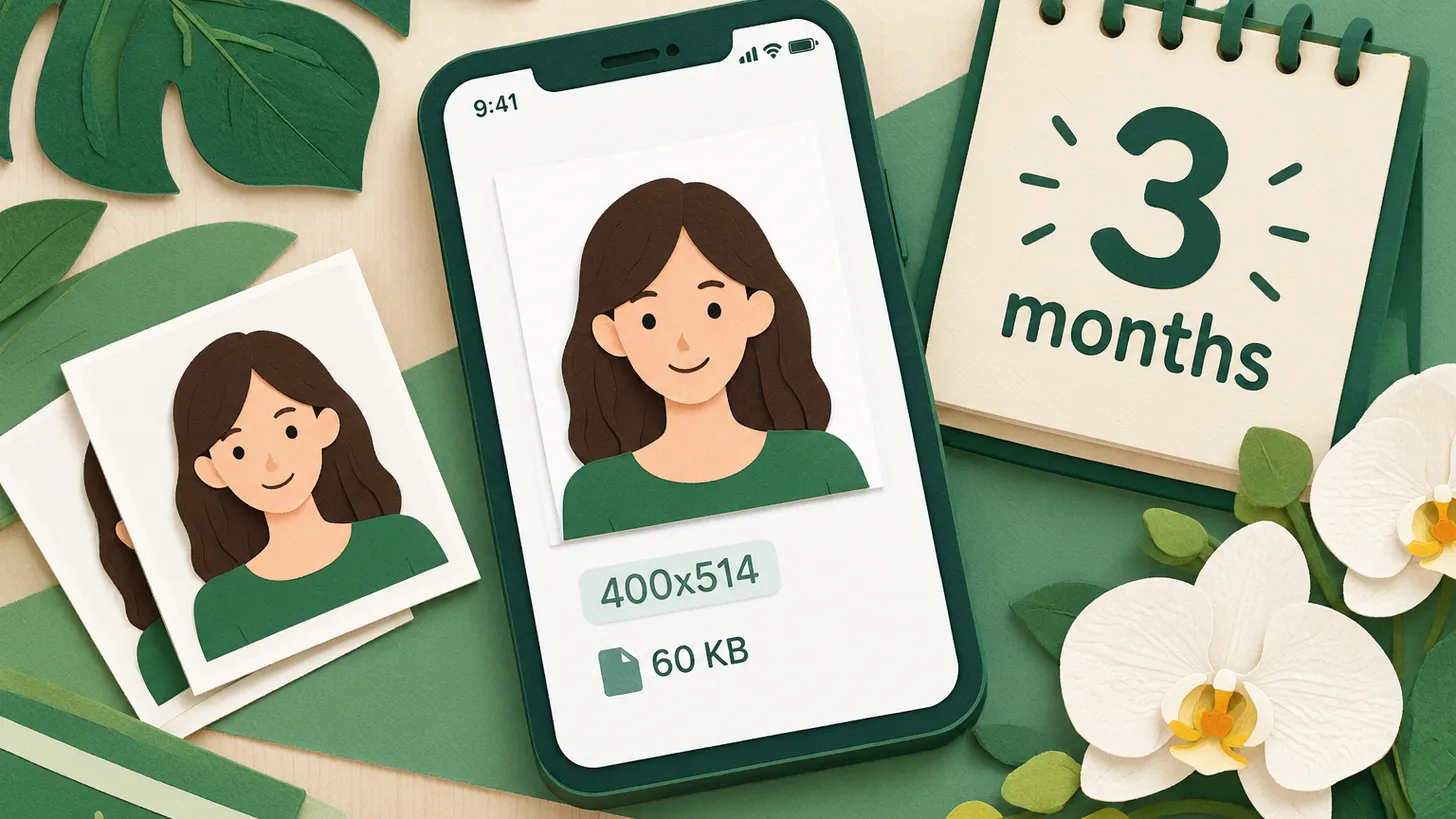
5 points- The digital format for uploading to the ICA portal must be exactly 400x514 pixels.
- The physical photo size for printing remains standard at 35x45 mm.
- The photo must be taken against a plain white background no more than 3 months before submission.
- Acceptable file formats: JPG, JPEG, PNG, HEIC, or HEIF, up to 2 MB in size.
- Filters, retouching, and wearing glasses with tinted lenses are prohibited.
The Immigration & Checkpoints Authority (ICA) strictly controls the quality of photos submitted for visas, passports, and residence permits. In 2026, for a successful online upload, the digital photo must meet the exact size of 400x514 pixels. Failure to comply with these technical requirements is the most common cause of delays or rejections in document issuance.
What has changed
Singapore continues to digitize immigration services, so the main focus is on the electronic photo format. Although the classic paper size remains unchanged, the ICA's automatic verification system requires exact parameters for digital files.
| Parameter | ICA Requirements (Singapore) |
|---|---|
| Digital size (pixels) | 400 x 514 px |
| Physical size (for printing) | 35 x 45 mm |
| Face size | 25-35 mm from chin to crown |
| File format | JPG, JPEG, PNG, HEIC, HEIF |
| Maximum file size | Up to 2 MB (up to 60 KB for some visa portals) |
| Background | Plain white (no shadows) |
| Validity period | No older than 3 months |
Who this applies to
These requirements are uniform and mandatory for all applicants submitting documents through the ICA portal. This applies to Ukrainians and other foreigners applying for:
- Electronic visas (e-Visa / SAVE).
- Work permits (Employment Pass, S Pass, Work Permit).
- Long-term visas (Long Term Visit Pass, Dependant's Pass).
- Permanent Resident (PR) status or Singapore citizenship.
What to do now
- Take a new photo: Take a photo against a plain white background. Ensure the lighting is even and there are no shadows on the face or background.
- Check clothing and accessories: Wear clothing that contrasts with the white background. Remove headwear (allowed only for religious reasons, provided it does not cover the face) and glasses with tinted lenses.
- Crop the photo to ICA requirements: Use a graphic editor or specialized services to set the size to exactly 400x514 pixels. The face should occupy 70-80% of the frame.
- Save in the correct format: Export the file in JPEG or PNG format. Ensure the file size does not exceed 2 MB (or 60 KB if required by a specific submission form).
Common mistakes
- Incorrect background: Using a gray, cream, or textured background instead of plain white.
- Glare on glasses: Even clear lenses can reflect flash glare, causing the system to reject the photo. It is best to take the photo without glasses.
- Retouching and filters: Any alteration of facial features, use of beauty filters, or removal of moles is strictly prohibited.
- Incorrect proportions: Uploading a standard 35x45 mm photo without converting it to the required 400x514 pixels for the online system.
Rules change frequently — always check the current requirements on the official government source provided above before taking action.
05Questions
4 answers01What photo size is required for a Singapore online visa?
For online submission via the ICA portal, a digital photo of 400x514 pixels is required. The maximum file size is usually up to 2 MB (up to 60 KB for some visa systems).
02Can I wear glasses in the photo?
Yes, but only with clear lenses. The frames must not cover the eyes, and there must be no glare on the glass. Tinted glasses are strictly prohibited.
03What should the background be for a Singapore photo?
The background must be exclusively plain white, without shadows, patterns, or foreign objects.
04Is a photo taken six months ago acceptable?
No, according to ICA rules, the photo must be taken no more than 3 months before the application date.
06Official sources
- ICA Photo Guidelines (via Passlens)
passlens.com - ICA Photo Requirements (via Visafoto)
visafoto.com
Author: Yevhen Kravchenko. Published . Checked against official sources on .
SingaporeSingapore Visa Photo Requirements: 400 x 514 px JPEG Under 60 KB, White Background, Last 3 Months (ICA)
ICA asks for a 400 x 514 px JPEG of no more than 60 KB, white background, taken in the last 3 months, full face, no headgear.
 Italy
Italy United Kingdom
 Indonesia+5
What size photo to use if not specified: 5 reasons the size is missing
The authority might not publish the photo size for various reasons: EU residence permit specifications are secret, a German regulation refers to a technical directive, and the UK publishes file limits and crops the image itself for online passports.

Make your photo to the current rules
Pick your document and upload a selfie — we crop it to size, replace the background and check it. Free. The sizes come from the same official sources as the news.
Passport · SingaporeUpload