SourceNorwegian Police (passport and ID offices) and the Norwegian Directorate of Immigration (UDI)
Verified
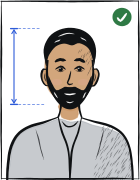
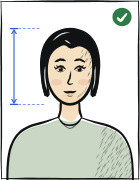
Quick answer: The recommended Norway passport photo size is 35 × 45 mm. Evenly lit background. Head occupies 70–80% of photo height. Neutral expression, glasses prohibited. Last verified .
Norway passport photo: size in mm, cm, inches and pixels
Millimetres
35 × 45 mm
Centimetres
3.5 × 4.5 cm
Inches
1.38 × 1.77″
Pixels at 300 dpi
413 × 531 px
Pixels at 600 dpi
827 × 1063 px
Norway-specific things to know
Norway is a «no own photo» country for ordinary passports and ID cards — an own photo is only for the emergency passport, and it must come from a photographer or a booth and be in colour.
Both ears must be entirely visible, along with both eyebrows — a stricter wording than many countries — and glasses are not worn at all.
Babies are photographed with the same machine in front of a white screen and must have their eyes open, so the appointment should be when the baby is awake.
How passport photos are verified
For an ordinary Norwegian passport or ID card the Norwegian Police say plainly: «you must not bring your own photo» — «we take your picture when you arrive for your appointment», everyone, babies and children included, with the same machine and, for a baby, in front of a white screen with the eyes open. The photograph is only your own for an emergency passport (nødpass): «a colour passport photo — taken by a photographer or in a photo booth, in colour, meeting the facial-photo requirements» (the emergency passport costs NOK 1 320 and you apply in person, at the earliest seven days before departure).
Read more
The requirements are the ones UDI states for facial photographs in passports and national ID cards: the face as it looks today; both eyes, both eyebrows and both ears entirely visible; the eyes towards the lens; a neutral expression and the mouth closed; the background and the face evenly lit; no glasses and no headgear; photographed from the front, with scarves, bags and outerwear removed. Headgear is allowed only for religious or other special reasons, for example illness, when similar headgear is expected whenever the document is presented, and it must not cover any part of the face, more of the head than necessary, or be so tight that it changes the natural shape of the face.
Because the police take the picture, what you control is your appearance on the day: ears and eyebrows uncovered, glasses off, mouth closed.
Examples and mistakes
What makes Norway passport photos accepted
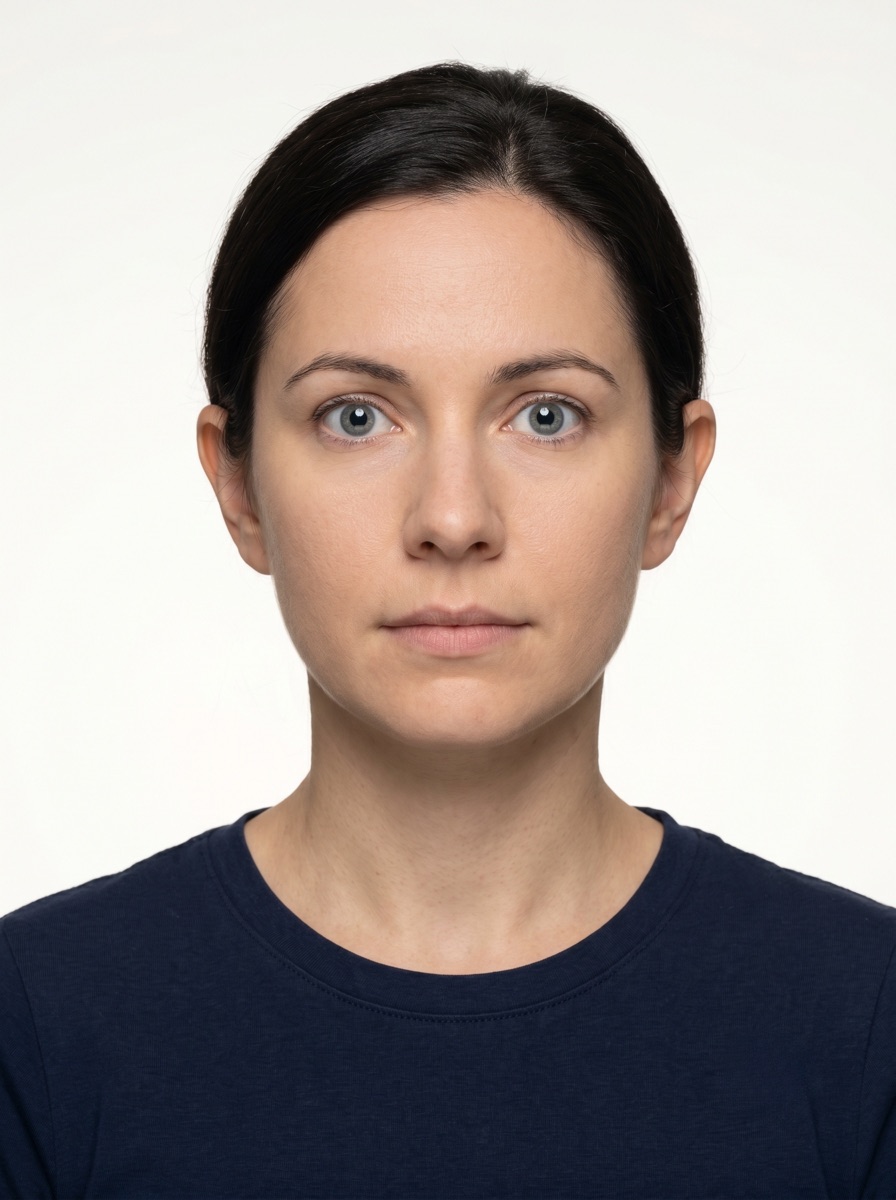
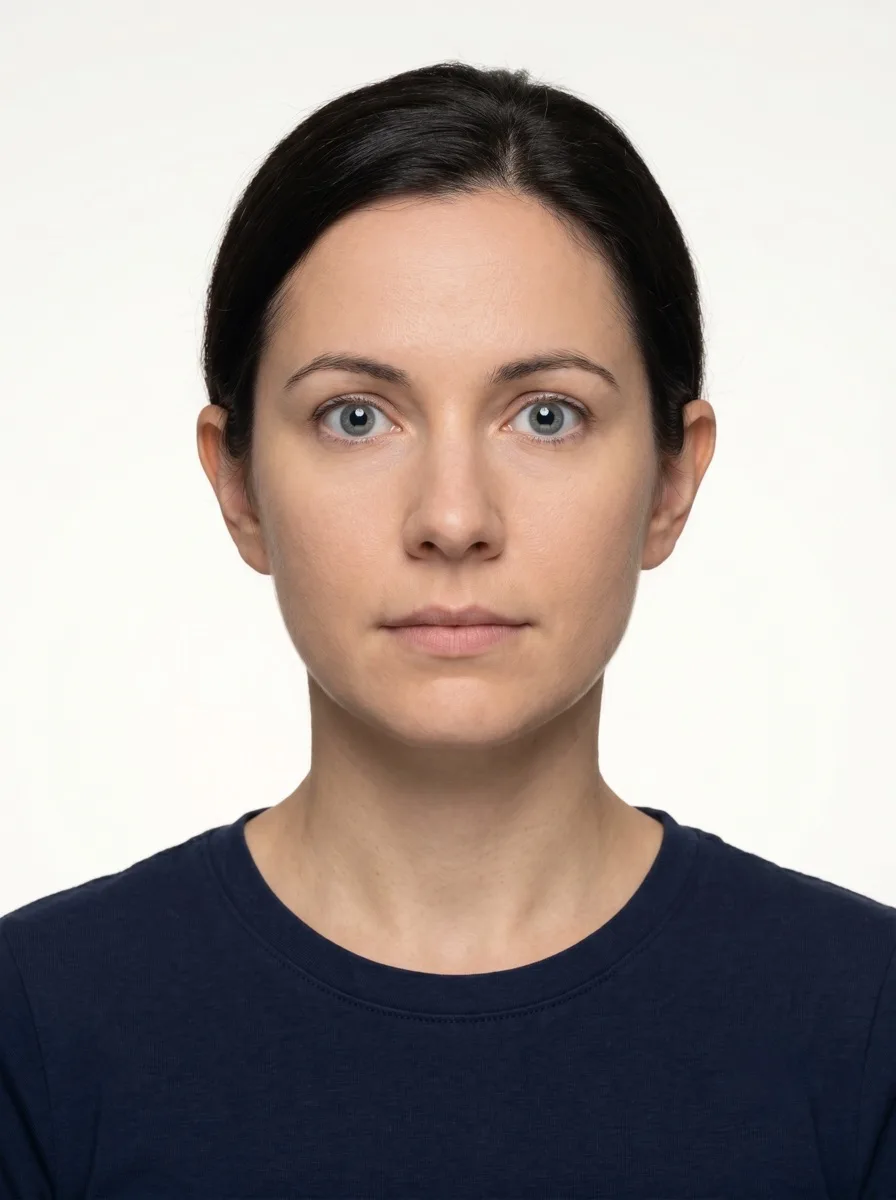
A photo that will be accepted, next to the six most common reasons Norway passport photos get rejected.
Accepted
Compliant Norway passport example (35 × 45 mm)
Face centred, looking directly into the lens
Plain background — no shadow, pattern or texture
Neutral expression, eyes open, mouth closed
No glasses, no hair across the face
Top 6 Norway passport rejection causes
Background shadowShadow on the wall behind the head, or background with a visible pattern or gradient
Smile / open mouthVisible smile with teeth or open mouth instead of a neutral expression
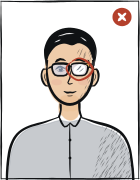
Glasses with glareGlasses with a clearly visible light reflection covering part of the eye
Hair across the faceLoose hair strands covering the eyes, eyebrows or part of the face
Eyes off-cameraEyes looking to the side instead of directly into the camera lens
Head tiltedHead tilted so the eye line is no longer horizontal
Typical rejection reasons and how to fix them
Typical reasons a photo is rejected under the rules Norwegian Police (passport and ID offices) and the Norwegian Directorate of Immigration (UDI) publishes: what is wrong and what to change.
Reason
Fix
Ears or eyebrows covered by hair, a hat or a scarf when the police take the photo
Tuck the hair behind the ears, keep the eyebrows clear and remove scarves and outerwear.
Glasses or headgear (without a religious or other special reason)
Take off glasses and headgear before the picture.
An open mouth or a non-neutral expression, eyes not towards the lens
Neutral expression, mouth closed, look into the lens.
For an emergency passport, a photo that is not in colour or not from a photographer or booth
Bring a colour photograph made by a photographer or in a booth that meets the facial-photo requirements.
The tool puts in the required background. Stand half a metre from a plain light wall, face a window and shoot without flash — then there are no shadows on your face or on the wall.
Framing
Head: 70–80 % of the photo height
Camera at eye level, about a metre away; head and shoulders in the shot. The tool crops it to 35 × 45 mm.
Glasses
Glasses prohibited
Take them off before the shot.
Expression and gaze
Neutral expression, mouth closed
Look straight into the lens with your head level; keep hair away from your eyes and eyebrows.
Print at 100% scale, borderless, and turn off fit-to-page so each photo keeps its exact size.
Where to submit your passport application
A Norwegian passport is applied for in person at a police passport and ID office after booking an appointment online; the police take the photograph there. An emergency passport needs your own colour photo from a photographer or booth.
Police passport and ID office (appointment booked online)in person; photograph taken at the appointment
politiet.no — find your nearest passport and ID office and book an appointment
Processing
See the police page on delivery times
Cost
See the police page on prices; emergency passport NOK 1 320
Do not bring a photo for an ordinary passport; bring a colour photo for an emergency passport.
Norwegian Police, what to bring (translated from the Norwegian): you must not bring your own photo for an ordinary passport or ID card; the police take your picture when you attend your appointment, and this applies to everyone, including babies and children; if you apply for an emergency passport you must bring your own photo.
Norwegian Police, emergency passport (translated): bring a colour passport photo — the photo must be taken by a photographer or in a photo booth, be in colour and meet the requirements for the facial photo (a 200 kB PDF is linked); the application fee is NOK 1 320 for adults and children, paid at the passport and ID office; the earliest appointment is seven days before departure; the emergency passport is valid only for that journey and must be returned.
Norwegian Police, newborns and babies (translated): the same machine is used for everyone, including babies; the photo is taken in front of a white screen — a parent holds the child in front of the screen or holds a white portable screen against the chest and the baby in front of it; the baby must have its eyes open, so it is important that the baby is awake; there is no lower age limit for a baby passport, but it can be hard to get a good picture if the baby cannot keep the eyes open or hold the head up.
UDI, «Photo/passport photo»: the police or the foreign service mission take a picture at the appointment and no photo is needed for a visa, residence permit or travel document; the requirements are the same as for facial photographs in passports and national ID cards — the face as it looks today; both eyes, both eyebrows and both ears entirely visible; eyes directed towards the camera lens; neutral expression and closed mouth; evenly lit background and face; glasses and headgear not worn; photographed from the front; scarves, bags and outerwear removed. Headgear for religious or other special reasons (for example illness) when similar headgear is expected whenever the document is presented; it must not cover any part of the face or more of the head than necessary and must not be so tight as to alter the natural shape of the face.
Questions
Frequently asked questions
You bring no photo: the police take it at the appointment. It must show the face as it looks today with both eyes, eyebrows and ears entirely visible, eyes towards the lens, a neutral expression, the mouth closed, even light, and no glasses or headgear (except for religious or other special reasons).
No — for an ordinary passport or ID card the police take your picture at the appointment, babies and children included. For an emergency passport you must bring your own colour photo.
A colour passport photo taken by a photographer or in a photo booth that meets the facial-photo requirements, brought to the appointment; the fee is NOK 1 320.
Glasses are not worn. Headgear is allowed only for religious or other special reasons such as illness, must not cover any part of the face or more of the head than necessary, and must not be so tight that it changes the natural shape of the face.
The recommended size for the Norway passport photo is 35 × 45 mm. The head occupies 70–80% of the photo height.
Evenly lit background. Behind you there should be only a plain wall: no pattern, shadows or objects. Any light wall at home will do — the tool sets the exact background colour.
Most passport offices ask for a photo taken within the last six months. It should look like you today: after a new haircut or beard, take a new one.
We refund the payment in full. Email us within 14 days of purchase with your order number and the rejection notice from the Norway authority — the refund policy page has the details.
35 × 45 mm = 3.5 × 4.5 cm = 1.38 × 1.77 inches. At 300 dpi that is 413 × 531 pixels; at 600 dpi, 827 × 1063 pixels.
Do not wear head coverings, except for officially permitted religious or special reasons without obscuring the face. The face must stay fully visible from chin to forehead and on both sides, with no shadow across it.
Yes. The same 35 × 45 mm format and head size apply to: national ID card, visa and residence permit.