Crop a photo — Angola visa
Upload a photo — the frame is already set for an Angola visa. Ready to print or upload.
Document
No sign-up · no watermarks · your photo stays in your browser
Want studio precision?AI correction fixes the light, shadows, clothing and pose — to the document's rules.€2.99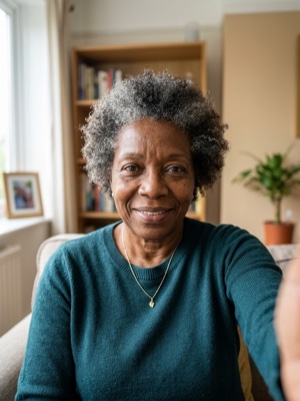
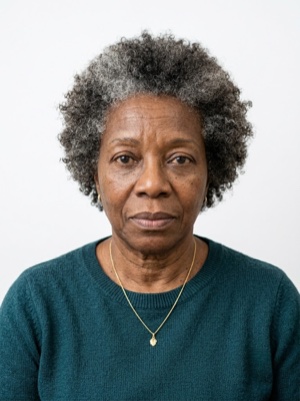

Exact numbers for this document
| Parameter | What it must be |
|---|---|
| Digital resolution | 381 × 496 — 571 × 744 px |
| Head, share of height | 70–80% of photo height |
| Background | Plain white background. #ffffff |
| Glasses | Clear glasses only, no reflections; sunglasses prohibited. |
| Head covering | Religious reasons only; must not cover the facial oval. |
For upload the file must stay under 200 KB — after cropping, save as JPEG and check the size.
How to crop it, in three steps
- 01
Upload the photo you want to resize.
- 02
Pick the country and document — the exact size and head ratio come from that profile.
- 03
Download the result — cropped, resized and face-aligned entirely in your browser.
What we fix for free, and what AI fixes
Fixed for free
- Background. Replaced with the one this document asks for: plain white background.
- Head tilt. Straightened if the head leans slightly to one side.
- A light shadow on one side of the face. Gently brightened.
- File and print sheet. A file to the document’s rules and a 10 × 15 or A4 sheet to print.
What can't be fixed for free, AI correction fixes
- Hard shadows and uneven light on the face.
- A smile, raised brows or a half-open mouth. Cropping keeps the face it was given.
- Clothing and pose. Shoulders out of frame, body turned away from the camera.
Glare on the lenses. Take the glasses off or turn away from the light source and shoot again.
Why these photos get rejected — and how to fix each one
Angola-specific things to know
- Angola specifies the eVISA photograph in pixels — 381–571 wide and 496–744 high, JPG, 200 KB — and says only «white background» for its look.
- The portal checks every uploaded image against the format and size and shows a preview, so a file outside the pixel limits is caught before submission.
- The online upload does not replace the visit: the original documents go to the consulate for the biometric data collection and the interview.
Where these numbers come from
Source: Migration and Foreigners Service of Angola (SME). Last checked against the official page on 1 Oct 2026.
What the source confirms
- SME, eVISA instructions: before starting, have a passport valid for at least one year with at least four empty pages, a recent photograph with a white background suitable for official use, and the original supporting documents for the visa type; submitting the documents through the website lets the authorities decide on the application, but the original documents must be taken to the consulate for the biometric data collection and the interview.
- Same instructions, the face image: minimum allowed height 496 pixels, maximum 744 pixels; minimum allowed width 381 pixels, maximum 571 pixels; maximum allowed file size 200 KB; allowed format .jpg/.jpeg; the portal verifies all uploaded images for format and size and shows a preview before the application is concluded.
- Same pages, the other files: passport image 480–1000 pixels wide and 340–720 pixels high in .jpg/.jpeg (the English text allows 300 KB, the Portuguese 70 KB); supporting documents 810–1250 pixels wide and 1150–1770 pixels high, .tif, .jpg or .jpeg, with 150 KB for a JPEG and 10,240 KB for a TIFF; the instructions ask for scans at 100–150 dpi on a standard A4.
- SME, the tourism visa (Presidential Decree no. 189/23): the requirements list a «photograph with white background: one standard size photo, width 381–571 pixels, height 496–744 pixels, maximum file size 200 KB, image format JPEG».
eVISA — Instruções de carregamento dos ficheiros (imagem da cara) ↗
Questions people ask before cropping
How much of the frame should the head take?
70–80% of photo height.
What background does this document need?
Plain white background.
What can’t be fixed here for free?
Hard shadows and uneven light on the face. A smile, raised brows or a half-open mouth. Cropping keeps the face it was given. Clothing and pose. Shoulders out of frame, body turned away from the camera. AI fixes this from the same photo — you see the result before paying.
How heavy may the file be for online upload?
For upload the file must stay under 200 KB — after cropping, save as JPEG and check the size.