Crop a photo to 51 × 51 mm — Dominican Republic passport
Upload a photo — the frame is already set for a Dominican Republic passport. Ready to print or upload.
Document
No sign-up · no watermarks · your photo stays in your browser
Want studio precision?AI correction fixes the light, shadows, clothing and pose — to the document's rules.€2.99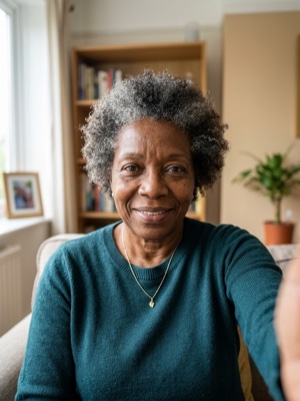
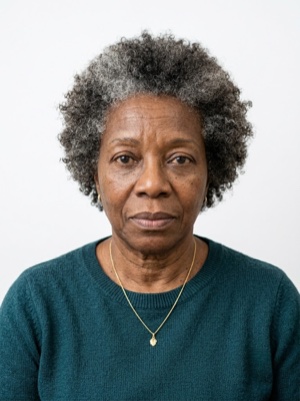

Exact numbers for this document
| Parameter | What it must be |
|---|---|
| Print size | 51 × 51 mm |
| Pixels at 300 dpi | 602 × 602 px |
| Pixels at 600 dpi | 1205 × 1205 px |
| Aspect ratio | 1:1 |
| Head, share of height | 70–80% of photo height |
| Background | Plain white background. #ffffff |
| Glasses | Clear glasses only, no reflections; sunglasses prohibited. |
| Head covering | Head coverings not permitted. |
What these millimetres work out to
- In a 51 × 51 mm frame a head band of 70–80% is 35.7–40.8 mm from the chin to the crown.
- Of the 51 mm of height that leaves 10.2–15.3 mm for the gap above the crown and the space below the chin together.
- At 300 dpi that is a head 422–482 pixels tall — below 422 px the file is too small to print, however good the crop is.
- Against the European 35 × 45 mm standard this frame is 1.46 times as wide, 1.13 times as tall and 1.65 times the area — a photo cut for one of the two cannot be reused for the other.
How to crop it, in three steps
- 01
Upload a photo taken face-on, in even light
- 02
The tool finds the face and aligns the frame itself — check that the head lands in 70–80%
- 03
Save the 51 × 51 mm result — print it or attach it to the application
Do not confuse it with another Dominican Republic document
Dominican Republic does not use one frame for everything. This page is about passport — 51 × 51 mm. The documents below are cut to a different size, so a file prepared here will not fit them.
passportthis page
visa
What we fix for free, and what AI fixes
Fixed for free
- Background. Replaced with the one this document asks for: plain white background.
- Head tilt. Straightened if the head leans slightly to one side.
- Frame. Exactly 51 × 51 mm, by the document’s rules.
- A light shadow on one side of the face. Gently brightened.
- File and print sheet. A file to the document’s rules and a 10 × 15 or A4 sheet to print.
What can't be fixed for free, AI correction fixes
- Hard shadows and uneven light on the face.
- A smile, raised brows or a half-open mouth. Cropping keeps the face it was given.
- Too few pixels. If the original is smaller than 602 × 602 px, enlarging it only blurs the face.
- Clothing and pose. Shoulders out of frame, body turned away from the camera.
Glare on the lenses. Take the glasses off or turn away from the light source and shoot again.
Why these photos get rejected — and how to fix each one
Dominican Republic-specific things to know
- The Dominican Republic takes the digital photograph at the passports office — and charges for it at the cashier — but accepts one attached online in the web mode.
- The size is 2 × 2 inches (5 × 5 cm) — «no other formats will be accepted» — with at least two millimetres above the head and the head 70–80 % of the photograph.
- Turbans and headdresses worn for medical, religious or cultural reasons must be removed completely for the photograph, with staff of the same sex in a private place.
Printing on a single sheet
2 × 2 frames fit on one 10×15 cm sheet — 4 copies from a single print.
Print at 100% scale, borderless, and turn off fit-to-page so each photo keeps its exact size.
10 × 15 cm · 4 × 6″Photos: 4 (2 × 2)
A4 · 21 × 29.7 cmPhotos: 20 (4 × 5)
Where these numbers come from
Source: General Directorate of Passports of the Dominican Republic (Dirección General de Pasaportes). Last checked against the official page on 1 Oct 2026.
What the source confirms
- General Directorate of Passports of the Dominican Republic, «Solicitud de pasaporte para adultos por primera vez (dominicanos por nacimiento)» (Internet Archive copy of 19 September 2025; Spanish, translated): the requirements are the original birth certificate with a QR code, the original Identity and Electoral Card in force, a digital photograph — «to be taken at the passports office (in-person mode), attached digitally (web mode)» — and the receipt of payment of the tax (Banco de Reservas) or payment online by card.
- Same page, the in-person mode: an appointment by phone or on the passports site; the citizen applies and collects the passport personally; «take a turn at information, then go to the cashier for the payment of the digital photograph»; «The digital photograph will be taken at the passports office you went to, at the moment you are told»; citizens who wear a turban or headdress for medical, religious or cultural reasons remove it completely and are attended by staff of the same sex in a place that guarantees privacy; the data, the fingerprints and the signature are captured at the office.
- Same page, the web mode (solicitudweb.pasaportes.gob.do): the documents are attached through the online system and scanned as JPG files (a document with several sides in a separate JPG file) without any alteration or erasure, otherwise the application is rejected; «when attaching the digital photograph, it must meet the following specifications according to document 9303 of the International Civil Aviation Organization (ICAO)»: size 2 × 2 inches (5 × 5 cm), no other formats; a white background, no other background colours or borders; a close-up of the head and shoulders in a frontal pose looking directly at the camera; a full face with a neutral expression (eyes open, mouth closed, forehead uncovered and ears visible); the head and upper shoulders 70–80 % of the photograph; at least two millimetres from the top of the head to the top edge; no objects, other people or colour alterations; no shadows or reflections on the face or the background; no coloured contact lenses; no facial adornments or garments such as sunglasses, earrings, chains, hats; suitable contrast and light, no red eyes; a sharp face; no retouching that alters the natural look of the skin.
- General Directorate of Passports, «Renovación de pasaporte para adultos por agotamiento» (Internet Archive copy of 28 December 2025): the same digital photograph specifications for the web mode («according to document 9303 of ICAO»: 2 × 2 inches (5 × 5 cm), white background, 70–80 % and the rest); to collect the new passport without handing in the old passport book a certificate of loss issued by the National Police is needed and the file is captured again; an appointment is booked after the requirements are completed, and the fingerprints and signature are registered in person.
Solicitud de pasaporte para adultos por primera vez — especificaciones de la fotografía digital ↗
Questions people ask before cropping
What size must a passport photo be in Dominican Republic?
51 × 51 mm. 70–80% of photo height.
How many pixels is 51 × 51 mm when printed?
602 × 602 px (300 dpi) · 1205 × 1205 px (600 dpi).
How much of the frame should the head take?
70–80% of photo height.
What background does this document need?
Plain white background.
What can’t be fixed here for free?
Hard shadows and uneven light on the face. A smile, raised brows or a half-open mouth. Cropping keeps the face it was given. Clothing and pose. Shoulders out of frame, body turned away from the camera. AI fixes this from the same photo — you see the result before paying.
How many photos fit on one 10×15 cm sheet?
2 × 2 frames fit on one 10×15 cm sheet — 4 copies from a single print.