Crop a photo — Myanmar visa
Upload a photo — the frame is already set for a Myanmar visa. Ready to print or upload.
Document
No sign-up · no watermarks · your photo stays in your browser
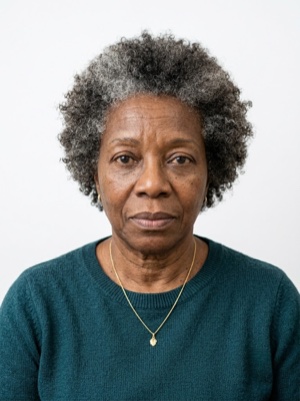
Want studio precision?AI correction fixes the light, shadows, clothing and pose — to the document's rules.€2.99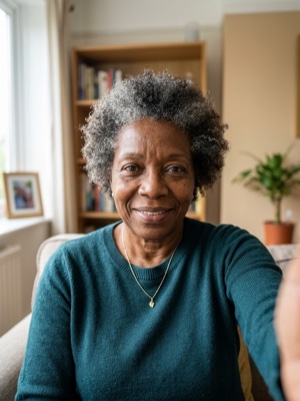

Exact numbers for this document
| Parameter | What it must be |
|---|---|
| Head, share of height | 70–80% of photo height |
| Background | Plain light background without textures or noticeable gradients. |
| Glasses | Clear glasses only, no reflections; sunglasses prohibited. |
| Head covering | Religious reasons only; must not cover the facial oval. |
For upload the file must stay under 2 MB — after cropping, save as JPEG and check the size.
How to crop it, in three steps
- 01
Upload the photo you want to resize.
- 02
Pick the country and document — the exact size and head ratio come from that profile.
- 03
Download the result — cropped, resized and face-aligned entirely in your browser.
What we fix for free, and what AI fixes
Fixed for free
- Background. Replaced with the one this document asks for: plain light background without textures or noticeable gradients.
- Head tilt. Straightened if the head leans slightly to one side.
- A light shadow on one side of the face. Gently brightened.
- File and print sheet. A file to the document’s rules and a 10 × 15 or A4 sheet to print.
What can't be fixed for free, AI correction fixes
- Hard shadows and uneven light on the face.
- A smile, raised brows or a half-open mouth. Cropping keeps the face it was given.
- Clothing and pose. Shoulders out of frame, body turned away from the camera.
Glare on the lenses. Take the glasses off or turn away from the light source and shoot again.
Why these photos get rejected — and how to fix each one
Myanmar-specific things to know
- Myanmar's eVisa asks the applicant to crop the photograph in the form — the frame must hold the face fully — and accepts a JPG or PDF of at most 2 MB.
- The written photograph rules are the Ministry's eStay ones: 3.8 × 4.6 cm, taken within three months, a plain white background, spectacles off, formal attire.
- A photo copied or scanned from another document is refused.
Where these numbers come from
Source: Ministry of Immigration and Population of Myanmar (eVisa and eStay services). Last checked against the official page on 1 Oct 2026.
What the source confirms
- Myanmar eVisa, user guide, Step 3 «Upload Photo & Documents»: upload the required documents and the photo; accepted file formats JPG or PDF; file size limit 2 MB; after «Upload Photo» the applicant adjusts the photo by dragging or resizing the rectangle frame so that the face is fully inside it and clicks «crop», after which the photo is uploaded to the eVisa application form.
- Same guide: children with a separate passport must submit their own individual eVisa application; the applicant reviews all information in Step 4 and pays by Visa or MasterCard in Step 5; the visa processing fee is non-refundable.
- Myanmar eStay (the Ministry's stay-extension service), FAQ: the passport photograph is taken within the last 3 months; clear and in focus; 3.8 cm (1.5 inches) wide by 4.6 cm (1.8 inches) high; in colour against a plain white background with no shadows; full face with shoulders visible, facing forward with eyes open; spectacles taken off; formal attire; a neutral facial expression; photos copied or digitally scanned from any documents are not acceptable.
User Guide to Myanmar eVisa Application — Step 3: Upload Photo & Documents ↗
Questions people ask before cropping
How much of the frame should the head take?
70–80% of photo height.
What background does this document need?
Plain light background without textures or noticeable gradients.
What can’t be fixed here for free?
Hard shadows and uneven light on the face. A smile, raised brows or a half-open mouth. Cropping keeps the face it was given. Clothing and pose. Shoulders out of frame, body turned away from the camera. AI fixes this from the same photo — you see the result before paying.
How heavy may the file be for online upload?
For upload the file must stay under 2 MB — after cropping, save as JPEG and check the size.