Crop a photo to 400 × 514 px — Singapore citizenship application
Upload a photo — the frame is already set for a Singapore citizenship application. Ready to print or upload.
Document
No sign-up · no watermarks · your photo stays in your browser
Want studio precision?AI correction fixes the light, shadows, clothing and pose — to the document's rules.€2.99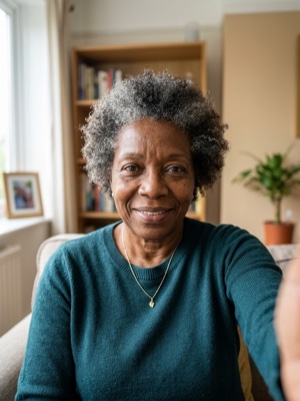
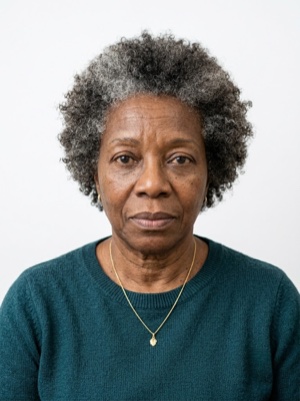

Exact numbers for this document
| Parameter | What it must be |
|---|---|
| Digital resolution | 400 × 514 px |
| Aspect ratio | 1 : 1.28 |
| Head, share of height | 70–80% of photo height |
| Background | Plain white background. #ffffff |
| Glasses | Clear glasses only, no reflections; sunglasses prohibited. |
| Head covering | Religious, traditional, or medical reasons only; must not cast shadows on the face. |
For upload the file must stay under 8 MB — after cropping, save as JPEG and check the size.
How to crop it, in three steps
- 01
Upload the photo you want to resize.
- 02
Pick the country and document — the exact size and head ratio come from that profile.
- 03
Download the result — cropped, resized and face-aligned entirely in your browser.
What we fix for free, and what AI fixes
Fixed for free
- Background. Replaced with the one this document asks for: plain white background.
- Head tilt. Straightened if the head leans slightly to one side.
- A light shadow on one side of the face. Gently brightened.
- File and print sheet. A file to the document’s rules and a 10 × 15 or A4 sheet to print.
What can't be fixed for free, AI correction fixes
- Hard shadows and uneven light on the face.
- A smile, raised brows or a half-open mouth. Cropping keeps the face it was given.
- Clothing and pose. Shoulders out of frame, body turned away from the camera.
Glare on the lenses. Take the glasses off or turn away from the light source and shoot again.
Why these photos get rejected — and how to fix each one
Singapore-specific things to know
- Singapore fixes the citizenship photograph in pixels — 400 × 514 — and accepts jpg, jpeg, heic, heif and png up to 8 MB.
- A new photograph is needed for every new application, and a printed copy must be matte or semi-matte, never glossy.
- ICA does not recommend selfies and refuses any alteration or enhancement, including the modification of facial features.
Where these numbers come from
Source: Immigration & Checkpoints Authority (ICA), Singapore. Last checked against the official page on 22 Oct 2026.
What the source confirms
- ICA, «Document Checklist for Singapore Citizenship» (linked from «Becoming a Singapore Citizen»): a passport-sized photo is needed from every applicant — the checklist marks it «Not required» for a non-applying spouse and for the sponsor: a coloured digital photograph taken recently, in dimensions 400 × 514 pixels; taken full face without headgear unless the person habitually wears a headgear in accordance with religious or racial customs, and the headgear must not hide the facial features; the photo background must be white in colour.
- ICA, «Photo Guidelines» (last updated 28 April 2026): a new coloured photograph must be submitted for a new application; a printed photograph for a hardcopy submission must be on a matte or semi-matte finish (non-reflective); the passport photo requirements are based on ISO and ICAO specifications; failure to meet them can delay the application or result in its rejection.
- Same page, online submission: the dimension is 400 × 514 pixels for the upload through e-Services; accepted file formats are jpg, jpeg, heic, heif and png; the maximum file size is 8 MB.
- Same page, taking the photo: ICA recommends apps designed for passport or identity-card photographs and resizing with image-editing software on a computer, but the photograph must not be altered or enhanced in any way, including the modification of facial features or the use of photo-editing software; a selfie is not recommended because the result is usually not ideal and delays the application — ask someone to take the photo.
Questions people ask before cropping
How much of the frame should the head take?
70–80% of photo height.
What background does this document need?
Plain white background.
What can’t be fixed here for free?
Hard shadows and uneven light on the face. A smile, raised brows or a half-open mouth. Cropping keeps the face it was given. Clothing and pose. Shoulders out of frame, body turned away from the camera. AI fixes this from the same photo — you see the result before paying.
How heavy may the file be for online upload?
For upload the file must stay under 8 MB — after cropping, save as JPEG and check the size.