Crop a photo to 35 × 45 mm — Sri Lanka passport
Upload a photo — the frame is already set for a Sri Lanka passport. Ready to print or upload.
Document
No sign-up · no watermarks · your photo stays in your browser
Want studio precision?AI correction fixes the light, shadows, clothing and pose — to the document's rules.€2.99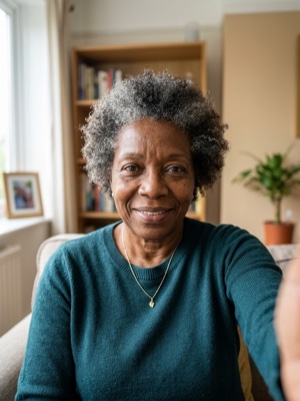
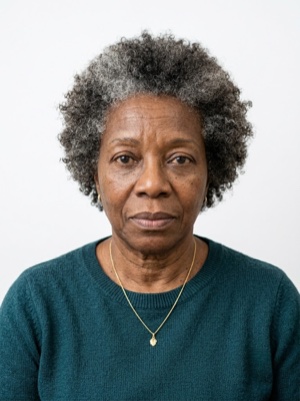

Exact numbers for this document
| Parameter | What it must be |
|---|---|
| Print size | 35 × 45 mm |
| Pixels at 300 dpi | 413 × 531 px |
| Pixels at 600 dpi | 827 × 1063 px |
| Aspect ratio | 7:9 |
| Head, share of height | 70–80% of photo height |
| Background | Plain light background (white, light blue or light grey) that contrasts with the face and clothing. |
| Glasses | Glasses not permitted. |
| Head covering | Headwear must not hide the face. |
How to crop it, in three steps
- 01
Upload a photo taken face-on, in even light
- 02
The tool finds the face and aligns the frame itself — check that the head lands in 70–80%
- 03
Save the 35 × 45 mm result — print it or attach it to the application
What we fix for free, and what AI fixes
Fixed for free
- Background. Replaced with the one this document asks for: plain light background (white, light blue or light grey) that contrasts with the face and clothing.
- Head tilt. Straightened if the head leans slightly to one side.
- Frame. Exactly 35 × 45 mm, by the document’s rules.
- A light shadow on one side of the face. Gently brightened.
- File and print sheet. A file to the document’s rules and a 10 × 15 or A4 sheet to print.
What can't be fixed for free, AI correction fixes
- Hard shadows and uneven light on the face.
- A smile, raised brows or a half-open mouth. Cropping keeps the face it was given.
- Too few pixels. If the original is smaller than 413 × 531 px, enlarging it only blurs the face.
- Clothing and pose. Shoulders out of frame, body turned away from the camera.
Glasses in the frame. This document does not accept them at all — take them off and shoot again.
Why these photos get rejected — and how to fix each one
Sri Lanka-specific things to know
- In Sri Lanka there is no print to prepare: the authorised studio takes the digital photograph and sends it to the Department, and you carry only the acknowledgement note. A printed photo is for the missions overseas.
- The face height is written two ways in the specification: 70 to 80 % of the photo, or 2.5 cm. On a 45 mm print 70–80 % is 31.5–36 mm, so the two figures differ — follow the percentage unless your mission says otherwise.
- The background is light, not necessarily white: white, light blue or light grey, as long as it contrasts with the face and the clothing.
- Spectacles are not accepted, and the print must be on professional photo paper — a Polaroid or an ordinary-printer print is not suitable.
Printing on a single sheet
4 × 2 frames fit on one 10×15 cm sheet — 8 copies from a single print.
Print at 100% scale, borderless, and turn off fit-to-page so each photo keeps its exact size.
10 × 15 cm · 4 × 6″Photos: 8 (4 × 2)
A4 · 21 × 29.7 cmPhotos: 36 (6 × 6)
Where these numbers come from
Source: Department of Immigration and Emigration of Sri Lanka and the Embassy of Sri Lanka in Stockholm. Last checked against the official page on 1 Oct 2026.
What the source confirms
- Department of Immigration and Emigration: with effect from 10 August 2015 applicants provide a digital photograph and fingerprints; the digital photograph is submitted through an Authorized photo studio island-wide or at the Head Office or a Regional Office; «Printed photographs will no longer be accepted».
- Same page, how: visit an authorised studio, only photos taken within 6 months are valid, the studio sends the photograph online and issues a Studio Acknowledgement Note, which is presented with the application; «No printed photographs are required for passport application». Applications through Sri Lankan missions overseas can be made without the digital photograph and fingerprints.
- Online application instructions for local applicants: if you have already obtained a photograph, enter its acknowledgement number; all documents to be uploaded must be JPEG files of less than 5 MB.
- Embassy in Stockholm, «Specifications of the Sri Lankan Passport Photographs»: 3.5 cm x 4.5 cm; plain light background (white, light blue or light grey) contrasting with face and dress; eyes open, no hair obscuring face, forehead and ears; straight-looking, centred, neutral expression; sharp, with no ink marks, creases or lines; head coverings, head-dress or facial ornaments must not obscure the face.
- Same specification: adequate brightness and contrast, natural skin tone (over- or under-exposure is not accepted), a close-up of the head and partial shoulders, the face from the edge of the forehead to the bottom of the chin 70 to 80 % of the photo (or 2.5 cm), spectacles not accepted, no other people or objects, uniform lighting without shadows on the face or behind, no red-eye.
- Same specification, print: ideally on professional photo paper with continuous tone and good resolution; Polaroid photos and photos printed with ordinary printers are not suitable; applications with photos that do not match are liable to be rejected and may be delayed.
Questions people ask before cropping
What size must a passport photo be in Sri Lanka?
35 × 45 mm. 70–80% of photo height.
How many pixels is 35 × 45 mm when printed?
413 × 531 px (300 dpi) · 827 × 1063 px (600 dpi).
How much of the frame should the head take?
70–80% of photo height.
What background does this document need?
Plain light background (white, light blue or light grey) that contrasts with the face and clothing.
What can’t be fixed here for free?
Hard shadows and uneven light on the face. A smile, raised brows or a half-open mouth. Cropping keeps the face it was given. Clothing and pose. Shoulders out of frame, body turned away from the camera. AI fixes this from the same photo — you see the result before paying.
How many photos fit on one 10×15 cm sheet?
4 × 2 frames fit on one 10×15 cm sheet — 8 copies from a single print.