Crop a photo to 35 × 45 mm — Taiwan passport
Upload a photo — the frame is already set for a Taiwan passport. Ready to print or upload.
Document
No sign-up · no watermarks · your photo stays in your browser
Want studio precision?AI correction fixes the light, shadows, clothing and pose — to the document's rules.€2.99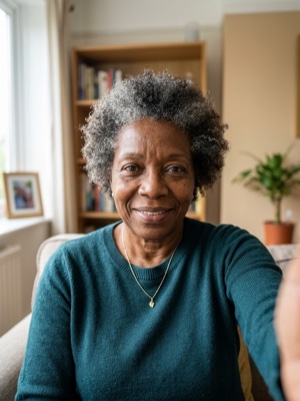
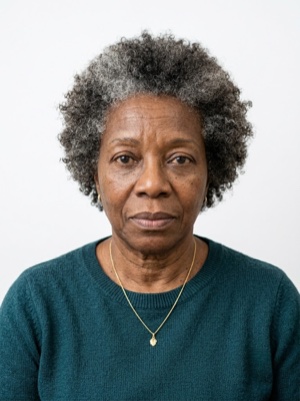

Exact numbers for this document
| Parameter | What it must be |
|---|---|
| Print size | 35 × 45 mm |
| Pixels at 300 dpi | 413 × 531 px |
| Pixels at 600 dpi | 827 × 1063 px |
| Aspect ratio | 7:9 |
| Head, share of height | 71–80% of photo height |
| Head, chin to crown | 32–36 mm chin to crown |
| Background | Plain white background. #ffffff |
| Glasses | Clear glasses only, no reflections; sunglasses prohibited. |
| Head covering | Religious reasons only; must not cover the facial oval. |
For upload the file must stay under 5 MB — after cropping, save as JPEG and check the size.
How to crop it, in three steps
- 01
Upload a photo taken face-on, in even light
- 02
The tool finds the face and aligns the frame itself — check that the head lands in 71–80%
- 03
Save the 35 × 45 mm result — print it or attach it to the application
What we fix for free, and what AI fixes
Fixed for free
- Background. Replaced with the one this document asks for: plain white background.
- Head tilt. Straightened if the head leans slightly to one side.
- Frame. Exactly 35 × 45 mm, by the document’s rules.
- A light shadow on one side of the face. Gently brightened.
- File and print sheet. A file to the document’s rules and a 10 × 15 or A4 sheet to print.
What can't be fixed for free, AI correction fixes
- Hard shadows and uneven light on the face.
- A smile, raised brows or a half-open mouth. Cropping keeps the face it was given.
- Too few pixels. If the original is smaller than 413 × 531 px, enlarging it only blurs the face.
- Clothing and pose. Shoulders out of frame, body turned away from the camera.
Glare on the lenses. Take the glasses off or turn away from the light source and shoot again.
Why these photos get rejected — and how to fix each one
Taiwan-specific things to know
- Taiwan asks for the ears, moles, birthmarks and scars to be clearly visible — only microtia is excepted — and bans coloured or circle contact lenses.
- Resizing is part of the rule: BOCA does not permit resampling the original image or altering its size before printing, and warns that mirrored or altered photos can cause trouble at e-gates.
- A digital upload (JPG, at least 413 × 531 pixels, up to 5 MB) does not replace the paper photo — one identical colour print is still attached to the application sheet.
Printing on a single sheet
4 × 2 frames fit on one 10×15 cm sheet — 8 copies from a single print.
Print at 100% scale, borderless, and turn off fit-to-page so each photo keeps its exact size.
10 × 15 cm · 4 × 6″Photos: 8 (4 × 2)
A4 · 21 × 29.7 cmPhotos: 36 (6 × 6)
Where these numbers come from
Source: Bureau of Consular Affairs (BOCA), Ministry of Foreign Affairs of the Republic of China (Taiwan). Last checked against the official page on 1 Oct 2026.
What the source confirms
- BOCA, «Passport Photos» (updated 2025-06-13): the standards follow ICAO; for an e-passport two identical colour photographs taken within the last six months are submitted, on a plain white background, the applicant facing forward and looking directly at the camera, hatless, with all facial features clearly shown; tinted glasses are not allowed; the photographs must reflect the true appearance, and composite photos and photos that reverse left and right are not permitted — altered or mirrored photos may cause delays at airport e-gates.
- Same page, the size: 45 mm in height and 35 mm in width (1.77 by 1.38 inches, not including the frame), head and top of the shoulders; the head from chin to crown between 32 mm and 36 mm (1.26 to 1.42 inches, thus 70–80 % of the photograph) and evenly centred; photographs free of ink marks and creases; the quality of the paper is checked and a photograph on paper too thin to make the passport is rejected.
- Same page, the face: eyes open and clearly visible, a neutral expression with the mouth closed (applicants unable to close the mouth are excluded), a natural skin tone, appropriate brightness and contrast; no hair covering the eyebrows or eyes; both edges of the face clearly visible; the head not tilted to the side, backwards or forwards; ears, moles, birthmarks and scars clearly visible (an applicant with microtia may conceal the ears with hair, but both edges of the face must be visible).
- Same page, background, light and quality: a plain white background, uniform lighting with no shadows or reflections on the face or the background, no red eye; high resolution, printed on plain, high-quality photographic paper, clear, sharp and in focus; resampling of the original image or alteration of its size before printing is not permitted; a digital-camera photograph must be high-quality colour from a camera of at least three million pixels, with no alteration of the digital image.
- Same page, glasses and clothing: with glasses the eyes must be clear with no reflection or glare; tinted glasses are to be avoided (exceptions for the visually impaired); thick frames are to be avoided and the frames must not cover any part of the eyes; coloured or circle contact lenses are not allowed; no military or police uniform or camouflage clothing; head coverings only for religious or medical reasons with the facial features from the bottom of the chin to the top of the forehead and both edges of the face clearly shown; photographs of children show only head and shoulders, with no chairs, toys, pacifiers or other people.
- Same page, the online upload (BOCA or a MOFA branch office): the image in JPG or JPEG format and RGB colour mode (at least 24 bit), file size no larger than 5 MB, resolution of at least 531 pixels in height and 413 pixels in width; for a domestic applicant who uploads the digital photo, one colour paper photo identical to it is still attached, because the short application sheet is printed in black and white; a photograph that does not meet the requirements is unacceptable and the applicant provides two other current, high-quality paper photographs.
Questions people ask before cropping
What size must a passport photo be in Taiwan?
35 × 45 mm. 71–80% of photo height.
How many pixels is 35 × 45 mm when printed?
413 × 531 px (300 dpi) · 827 × 1063 px (600 dpi).
How much of the frame should the head take?
71–80% of photo height. 32–36 mm chin to crown.
What background does this document need?
Plain white background.
What can’t be fixed here for free?
Hard shadows and uneven light on the face. A smile, raised brows or a half-open mouth. Cropping keeps the face it was given. Clothing and pose. Shoulders out of frame, body turned away from the camera. AI fixes this from the same photo — you see the result before paying.
How many photos fit on one 10×15 cm sheet?
4 × 2 frames fit on one 10×15 cm sheet — 8 copies from a single print.
How heavy may the file be for online upload?
For upload the file must stay under 5 MB — after cropping, save as JPEG and check the size.