Crop a photo to 35 × 50 mm — Malaysia work permit
Upload a photo — the frame is already set for a Malaysia work permit. Ready to print or upload.
Document
No sign-up · no watermarks · your photo stays in your browser
Want studio precision?AI correction fixes the light, shadows, clothing and pose — to the document's rules.€2.99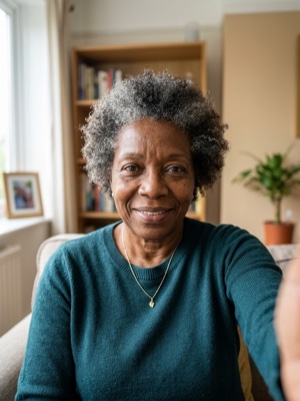
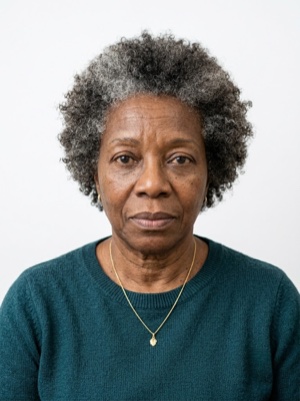

Exact numbers for this document
| Parameter | What it must be |
|---|---|
| Print size | 35 × 50 mm |
| Pixels at 300 dpi | 413 × 591 px |
| Pixels at 600 dpi | 827 × 1181 px |
| Aspect ratio | 7:10 |
| Head, share of height | 70–80% of photo height |
| Background | Plain white background. #ffffff |
| Glasses | Clear glasses only, no reflections; sunglasses prohibited. |
| Head covering | Religious reasons only; must not cover the facial oval. |
What these millimetres work out to
- In a 35 × 50 mm frame a head band of 70–80% is 35–40 mm from the chin to the crown.
- Of the 50 mm of height that leaves 10–15 mm for the gap above the crown and the space below the chin together.
- At 300 dpi that is a head 413–472 pixels tall — below 413 px the file is too small to print, however good the crop is.
- Against the European 35 × 45 mm standard this frame is 1.00 times as wide, 1.11 times as tall and 1.11 times the area — a photo cut for one of the two cannot be reused for the other.
How to crop it, in three steps
- 01
Upload a photo taken face-on, in even light
- 02
The tool finds the face and aligns the frame itself — check that the head lands in 70–80%
- 03
Save the 35 × 50 mm result — print it or attach it to the application
What we fix for free, and what AI fixes
Fixed for free
- Background. Replaced with the one this document asks for: plain white background.
- Head tilt. Straightened if the head leans slightly to one side.
- Frame. Exactly 35 × 50 mm, by the document’s rules.
- A light shadow on one side of the face. Gently brightened.
- File and print sheet. A file to the document’s rules and a 10 × 15 or A4 sheet to print.
What can't be fixed for free, AI correction fixes
- Hard shadows and uneven light on the face.
- A smile, raised brows or a half-open mouth. Cropping keeps the face it was given.
- Too few pixels. If the original is smaller than 413 × 591 px, enlarging it only blurs the face.
- Clothing and pose. Shoulders out of frame, body turned away from the camera.
Glare on the lenses. Take the glasses off or turn away from the light source and shoot again.
Why these photos get rejected — and how to fix each one
Malaysia-specific things to know
- Malaysia's Manila embassy asks for the actual photographs to be scanned and sent — a print scanned in good quality — and names 3.5 × 5.0 cm, a taller format than the ICAO 35 × 45 mm.
- The online copy of the application comes first; the photographs and the physical submission follow after the Embassy has checked and approved it.
Printing on a single sheet
4 × 2 frames fit on one 10×15 cm sheet — 8 copies from a single print.
Print at 100% scale, borderless, and turn off fit-to-page so each photo keeps its exact size.
10 × 15 cm · 4 × 6″Photos: 8 (4 × 2)
A4 · 21 × 29.7 cmPhotos: 32 (4 × 8)
Where these numbers come from
Source: Embassy of Malaysia in Manila — Ministry of Foreign Affairs Malaysia. Last checked against the official page on 1 Oct 2026.
What the source confirms
- Embassy of Malaysia in Manila, «Entry requirement for foreigners», employment visa: the passport; a photocopy of the passport bio page; two photos with a white background (3.5 cm × 5.0 cm) — «scan and send the actual photo, must be of good quality»; the MDEC approval, VDR, calling visa, immigration approval or e-VWR; the visa form to be filled out at the Embassy; PHP 550.
- Same page, the other visas: the student visa — the passport and a copy of its bio page, two photos with a white background (3.5 cm × 5.0 cm), the eVAL and travel authorisation, PHP 550; the dependent and social visit visa — an invitation letter and documents of the sponsor, two passport-size photos of the applicant with a white background, the original passport, a birth certificate copy, the entry approval or travel pass, PHP 550; the social business visa — a copy of the passport bio page, two photos with a white background, an invitation letter from the company and the entry approval from the Immigration Department of Malaysia or the VDR.
- Same page, the submission: all applicants are required to submit a copy of their application online; once checked and approved, an appointment is given for the physical submission through the portal named on the page.
Questions people ask before cropping
What size must a work permit photo be in Malaysia?
35 × 50 mm. 70–80% of photo height.
How many pixels is 35 × 50 mm when printed?
413 × 591 px (300 dpi) · 827 × 1181 px (600 dpi).
How much of the frame should the head take?
70–80% of photo height.
What background does this document need?
Plain white background.
What can’t be fixed here for free?
Hard shadows and uneven light on the face. A smile, raised brows or a half-open mouth. Cropping keeps the face it was given. Clothing and pose. Shoulders out of frame, body turned away from the camera. AI fixes this from the same photo — you see the result before paying.
How many photos fit on one 10×15 cm sheet?
4 × 2 frames fit on one 10×15 cm sheet — 8 copies from a single print.