Crop a photo — Oman visa
Upload a photo — the frame is already set for an Oman visa. Ready to print or upload.
Document
No sign-up · no watermarks · your photo stays in your browser
Want studio precision?AI correction fixes the light, shadows, clothing and pose — to the document's rules.€2.99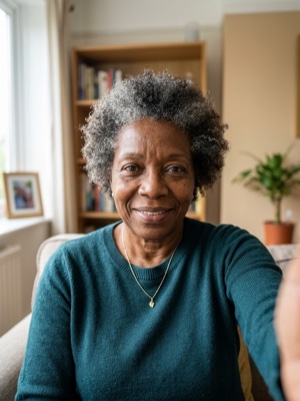
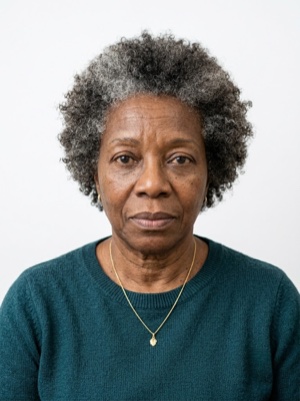
Exact numbers for this document
| Parameter | What it must be |
|---|---|
| Head, share of height | 70–80% of photo height |
| Background | Plain white background. #ffffff |
| Glasses | Glasses not permitted. |
| Head covering | Religious reasons only; head covering must not obscure the face or cast shadows. |
For upload the file must stay under 512 KB — after cropping, save as JPEG and check the size.
How to crop it, in three steps
- 01
Upload the photo you want to resize.
- 02
Pick the country and document — the exact size and head ratio come from that profile.
- 03
Download the result — cropped, resized and face-aligned entirely in your browser.
What we fix for free, and what AI fixes
Fixed for free
- Background. Replaced with the one this document asks for: plain white background.
- Head tilt. Straightened if the head leans slightly to one side.
- A light shadow on one side of the face. Gently brightened.
- File and print sheet. A file to the document’s rules and a 10 × 15 or A4 sheet to print.
What can't be fixed for free, AI correction fixes
- Hard shadows and uneven light on the face.
- A smile, raised brows or a half-open mouth. Cropping keeps the face it was given.
- Clothing and pose. Shoulders out of frame, body turned away from the camera.
Glasses in the frame. This document does not accept them at all — take them off and shoot again.
One thing that is specific to Oman
- Two digital passport-size photographs on a white background are listed for the application.
Where these numbers come from
Source: Royal Oman Police (ROP) — e-Visa portal. Last checked against the official page on 1 Oct 2026.
What the source confirms
- Colour photograph taken in the last six months, full face looking at the camera, clear well-lit background, neutral expression with both eyes open.
- Upload: PDF/JPEG/PNG file, up to 512 KB.
- Background: plain white.
Questions people ask before cropping
How much of the frame should the head take?
70–80% of photo height.
What background does this document need?
Plain white background.
What can’t be fixed here for free?
Hard shadows and uneven light on the face. A smile, raised brows or a half-open mouth. Cropping keeps the face it was given. Clothing and pose. Shoulders out of frame, body turned away from the camera. AI fixes this from the same photo — you see the result before paying.
How heavy may the file be for online upload?
For upload the file must stay under 512 KB — after cropping, save as JPEG and check the size.