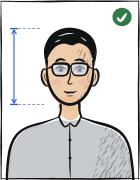
Quick answer: The recommended Philippines PRC professional ID photo size is 51 × 51 mm. Plain white background. Head occupies 70–80% of photo height. Neutral expression, clear lenses only, no glare. Last verified .
Philippines PRC professional ID photo: size in mm, cm, inches and pixels
Philippines PRC professional ID photo: size in mm, cm, inches and pixels
Millimetres
51 × 51 mm
Centimetres
5.1 × 5.1 cm
Inches
2 × 2″
Pixels at 300 dpi
602 × 602 px
Pixels at 600 dpi
1205 × 1205 px
How PRC professional ID photos are verified
Philippines identity document photos are checked by the office that issues the document. In many countries the photo is taken right there; if you bring your own, it must match the size, background and framing on this page.
An identity document is shown often — at the bank, when your age is checked, when travelling within the country — so the photo should look like you do day to day.
If the rules mention ears, hair or head coverings, the details are in the table above.
Use a recent photo with your natural, everyday look.
Examples and mistakes
What makes Philippines PRC professional ID photos accepted
A photo that will be accepted, next to the six most common reasons Philippines PRC professional ID photos get rejected.
Accepted
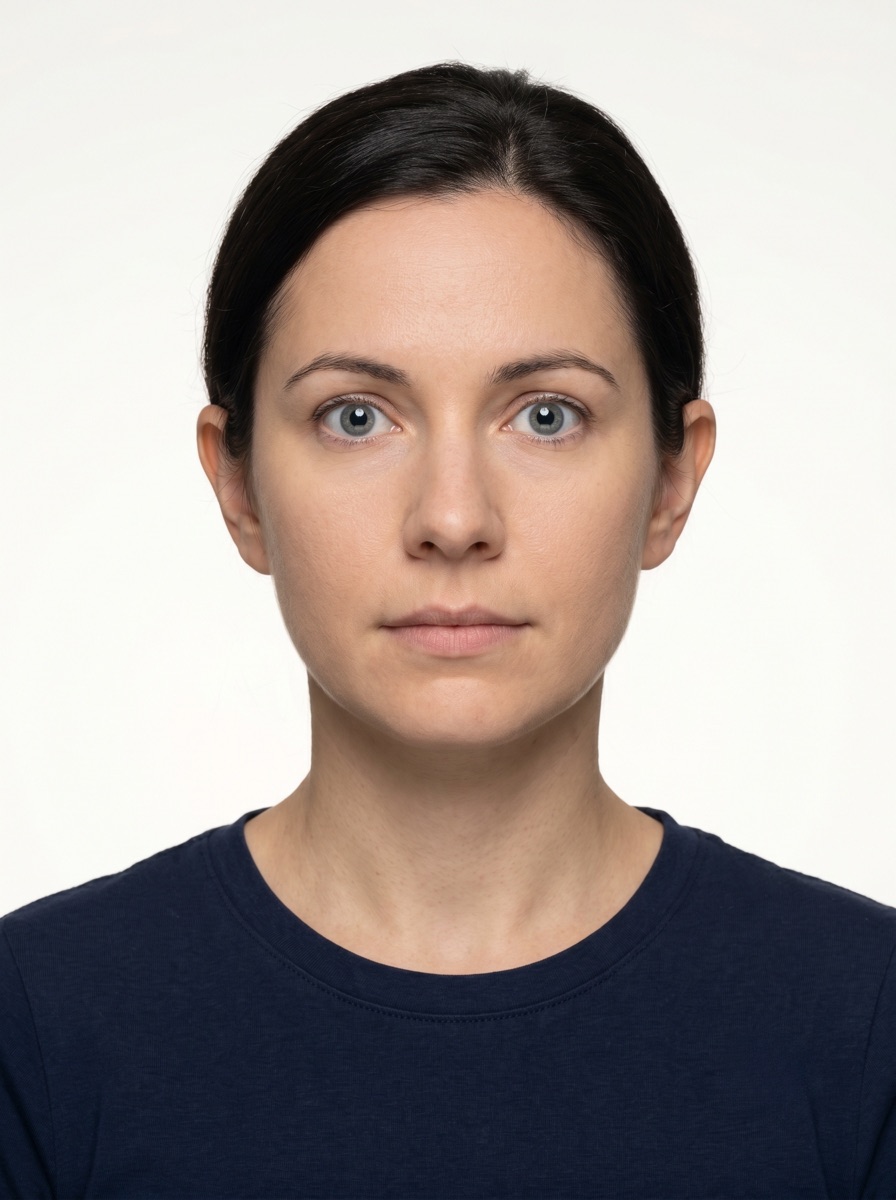
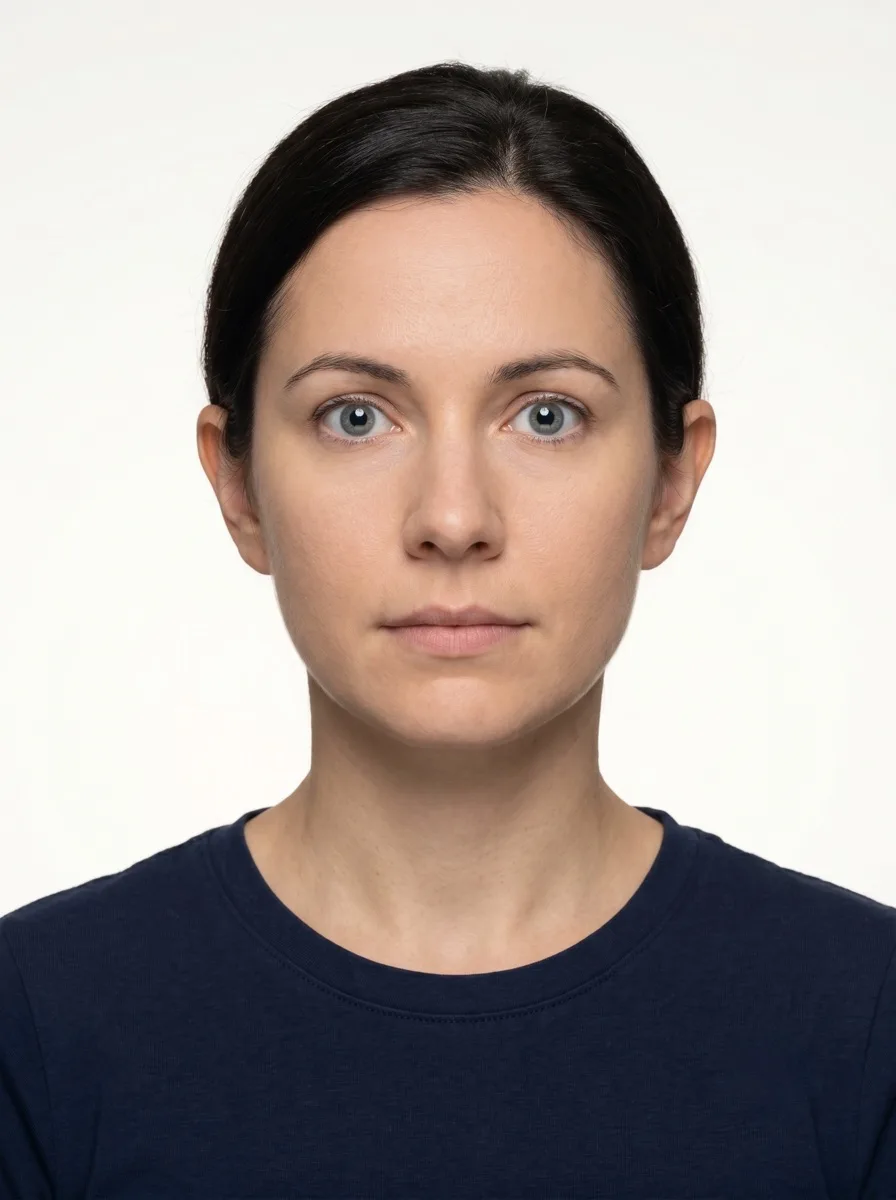
Compliant Philippines PRC professional ID example (51 × 51 mm)
Face centred, looking directly into the lens
Plain background — no shadow, pattern or texture
Neutral expression, eyes open, mouth closed
No glasses, no hair across the face
Top 6 Philippines PRC professional ID rejection causes
Background shadowShadow on the wall behind the head, or background with a visible pattern or gradient
Smile / open mouthVisible smile with teeth or open mouth instead of a neutral expression
Glasses with glareGlasses with a clearly visible light reflection covering part of the eye
Hair across the faceLoose hair strands covering the eyes, eyebrows or part of the face
Eyes off-cameraEyes looking to the side instead of directly into the camera lens
Head tiltedHead tilted so the eye line is no longer horizontal
How to take your Philippines PRC professional ID photo correctly
Background and light
Background: plain white
The tool puts in the required background. Stand half a metre from a plain light wall, face a window and shoot without flash — then there are no shadows on your face or on the wall.
Framing
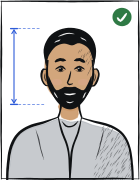
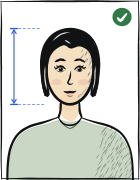
Head: 70–80 % of the photo height
Camera at eye level, about a metre away; head and shoulders in the shot. The tool crops it to 51 × 51 mm.
Glasses
Clear lenses only, no glare
If you wear glasses, check the shot: no glare on the lenses, eyes clearly visible.
Expression and gaze
Neutral expression, mouth closed, eyes open
Look straight into the lens with your head level; keep hair away from your eyes and eyebrows.
One clear picture in decent attire, taken within the last 6 months; the renewal picture carries a complete name tag.
Questions
Frequently asked questions
What size is the Philippines PRC professional ID photo?
The recommended size for the Philippines PRC professional ID photo is 51 × 51 mm. The head occupies 70–80% of the photo height. The photo should look like you do day to day.
What background is required?
Plain white background. A plain, evenly lit wall without shadows or pattern is enough — the tool sets the required background colour.
Can I take the Philippines PRC professional ID photo at home?
Yes. Stand against a plain light wall facing a window, and take the photo with a timer or ask someone to help. The tool crops it to size, fixes the background and checks the framing.
How long does the photo stay valid?
For this document the photo must be no older than 6 months. If your hair, beard or face has changed noticeably since then, take a new one.
Can I wear glasses for the Philippines PRC professional ID?
Clear glasses only, no reflections; sunglasses prohibited. If you keep them on, tilt them slightly downwards by lifting the arms a little above your ears: this usually moves reflections of a window or lamp off the lenses.
What happens if the authority rejects the photo?
We refund the payment in full. Email us within 14 days of purchase with your order number and the rejection notice from the Philippines authority.
Philippines PRC professional ID photo: what is the size in cm, inches and pixels?
51 × 51 mm = 5.1 × 5.1 cm = 2 × 2 inches. At 300 dpi that is 602 × 602 pixels; at 600 dpi, 1205 × 1205 pixels.
Philippines PRC professional ID photo: can I wear a hijab or another religious head covering?
Religious reasons only; must not cover the facial oval. The face must stay fully visible from chin to forehead and on both sides, with no shadow across it.
Philippines PRC professional ID photo: can the same photo be used for other documents of this country?
Yes. The same 51 × 51 mm format and head size apply to: work permit.