Crop a photo — New Zealand visa
Upload a photo — the frame is already set for a New Zealand visa. Ready to print or upload.
Document
No sign-up · no watermarks · your photo stays in your browser
Want studio precision?AI correction fixes the light, shadows, clothing and pose — to the document's rules.€2.99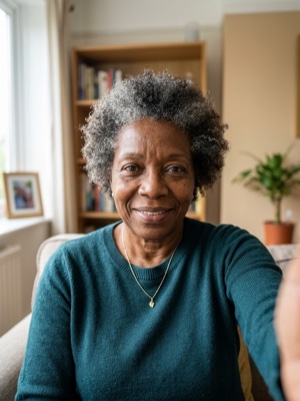
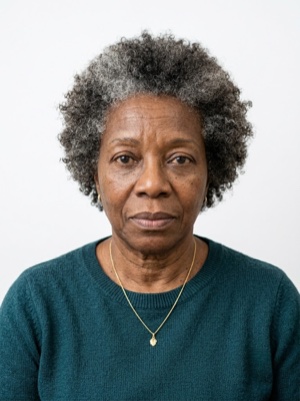
Exact numbers for this document
| Parameter | What it must be |
|---|---|
| Digital resolution | 900 × 1200 — 2250 × 3000 px |
| Head, share of height | 70–80% of photo height |
| Background | Plain light-coloured background (not white). #E5E7EB |
| Glasses | Clear glasses only, no reflections; sunglasses prohibited. |
| Head covering | Religious or medical reasons only; must not cover the facial oval. |
For upload the file must stay under 3.14 MB — after cropping, save as JPEG and check the size.
How to crop it, in three steps
- 01
Upload the photo you want to resize.
- 02
Pick the country and document — the exact size and head ratio come from that profile.
- 03
Download the result — cropped, resized and face-aligned entirely in your browser.
What we fix for free, and what AI fixes
Fixed for free
- Background. Replaced with the one this document asks for: plain light-coloured background (not white).
- Head tilt. Straightened if the head leans slightly to one side.
- A light shadow on one side of the face. Gently brightened.
- File and print sheet. A file to the document’s rules and a 10 × 15 or A4 sheet to print.
What can't be fixed for free, AI correction fixes
- Hard shadows and uneven light on the face.
- A smile, raised brows or a half-open mouth. Cropping keeps the face it was given.
- Clothing and pose. Shoulders out of frame, body turned away from the camera.
Glare on the lenses. Take the glasses off or turn away from the light source and shoot again.
Why these photos get rejected — and how to fix each one
New Zealand-specific things to know
- The online photo is set by the file, not millimetres: JPG or JPEG, 512 KB to 3.14 MB — a floor as well as a ceiling — in 3:4 portrait; the 35 × 45 mm size applies only to paper applications.
- AI or editing is explicitly banned — colour, brightness or sharpness changes, background cut-outs, skin smoothing — and a photo of a photo is refused; a phone that filters automatically must have the feature turned off.
- Ears must be visible unless covered for religious or medical reasons, and glasses are fine only if clear and without glare; INZ suggests removing them if they cause trouble.
Where these numbers come from
Source: Immigration New Zealand (Ministry of Business, Innovation and Employment). Last checked against the official page on 1 Oct 2026.
What the source confirms
- INZ, photo standards: the photo must look like it was taken within the last 6 months; be a photo of you that is not edited or altered, and not a photo of a photo; photos that are AI-enhanced or altered do not meet the standards and the application may be delayed, declined or refused. The photo is collected and used as biometric information to establish or verify your identity.
- INZ, size and format for online applications: between 512 KB and 3.14 MB; taken in portrait mode with a 3:4 aspect ratio; a JPG or JPEG file. Do not edit or enhance: no filters, beautification features or AI editing tools — this includes changing colour, brightness, contrast or sharpness, cropping the head and shoulders onto a plain background, changing facial features, skin smoothing or face slimming, and digitally removing glasses, jewellery, headbands, hats or toys.
- INZ, position and visibility: the face covers between 70 % and 80 % of the image and is in the middle of the frame; looking straight at the camera with a neutral expression, the mouth closed, the face not turned or at an angle; the hair must not cover the face or ears — the ears show unless a scarf is worn for religious or medical reasons; head coverings removed unless for religious or medical reasons and then not covering the mouth or the sides of the face; the eyes open; in focus and not blurry.
- INZ, glasses, lighting and background: prescription glasses allowed if clear and not tinted (no sunglasses), without heavy frames covering the face and without glare or reflection — removing them may be best; no shadows on the face or the background and good contrast between the face and the background, with the subject 0.5 m from the background and the photographer 1.5 m in front; the background neutral and plain, only you and no other people or objects, avoiding patterned or picture clothing.
- INZ, other routes: selfies only in the mobile app for an NZeTA, with the arm stretched out, the phone at eyebrow height and the light behind the phone; a paper visa application «must be 35 mm wide and 45 mm high»; with a professional photographer the photo file size should be less than 10 MB; an NZeTA can only be requested online.
Questions people ask before cropping
How much of the frame should the head take?
70–80% of photo height.
What background does this document need?
Plain light-coloured background (not white).
What can’t be fixed here for free?
Hard shadows and uneven light on the face. A smile, raised brows or a half-open mouth. Cropping keeps the face it was given. Clothing and pose. Shoulders out of frame, body turned away from the camera. AI fixes this from the same photo — you see the result before paying.
How heavy may the file be for online upload?
For upload the file must stay under 3.14 MB — after cropping, save as JPEG and check the size.