Quick answer: Background for the Zambia visa photo: plain light background without textures or noticeable gradients. Head occupies 70–80% of photo height. Neutral expression, clear lenses only, no glare. Last verified .
Zambia asks for a «clear passport style photograph» and says outright not to upload the photo from the passport — a scan of the passport photo page is not a substitute.
The file formats named are jpeg, tiff or png; the page gives no pixel size or file limit, so the portal shows the limits at upload.
How visa photos are verified
For a Zambian visa the Department of Immigration lists a «passport sized photo» first in the documents of every purpose of visit — business, school, tourist, transit, visitor (social), KAZA, official and others. Its e-visa brochure says to «ensure that you have in place a clear passport style photograph [jpeg, tiff or png]» and «do not upload the photo from your passport», and that all documents to upload are converted into jpeg, tiff or png. The e-visa fees in the brochure are USD 50 for a single entry, USD 80 for a double entry and USD 150 for a multiple entry, with an administrative charge of 1.1 %; the brochure carries a 2019 date, so the portal may have changed. The pages give no size in millimetres or pixels, no file limit and no background or head rule.
Examples and mistakes
What makes Zambia visa photos accepted
A photo that will be accepted, next to the six most common reasons Zambia visa photos get rejected.
Accepted
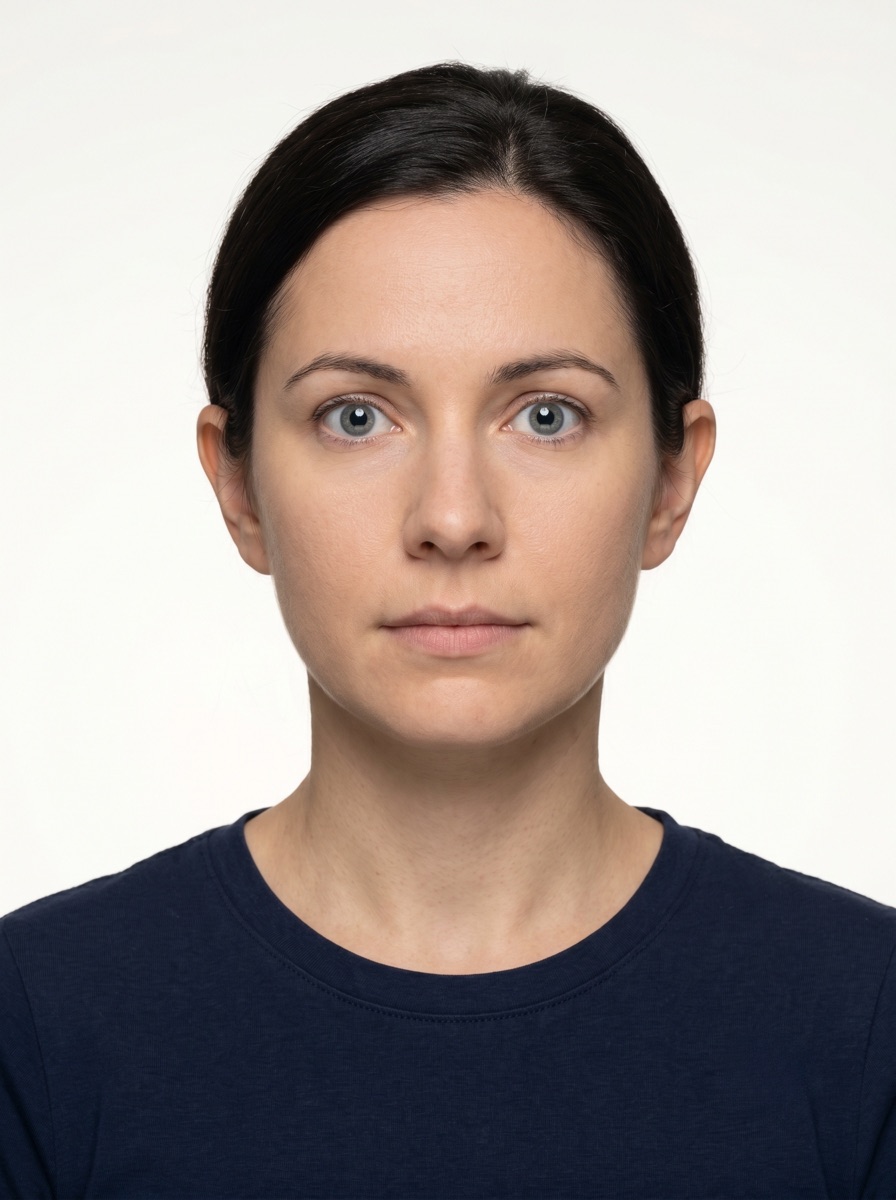
Compliant Zambia visa example
Face centred, looking directly into the lens
Plain background — no shadow, pattern or texture
Neutral expression, eyes open, mouth closed
No glasses, no hair across the face
Top 6 Zambia visa rejection causes
Background shadowShadow on the wall behind the head, or background with a visible pattern or gradient
Smile / open mouthVisible smile with teeth or open mouth instead of a neutral expression
Glasses with glareGlasses with a clearly visible light reflection covering part of the eye
Hair across the faceLoose hair strands covering the eyes, eyebrows or part of the face
Eyes off-cameraEyes looking to the side instead of directly into the camera lens
Head tiltedHead tilted so the eye line is no longer horizontal
Typical rejection reasons and how to fix them
Typical reasons a photo is rejected under the rules Department of Immigration of Zambia publishes: what is wrong and what to change.
Typical rejection reasons and how to fix them
Reason
Fix
The photo taken from the passport used as the e-visa upload
The tool puts in the required background. Stand half a metre from a plain light wall, face a window and shoot without flash — then there are no shadows on your face or on the wall.
Framing
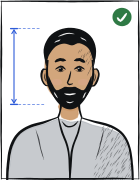
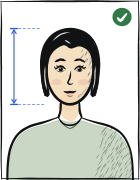
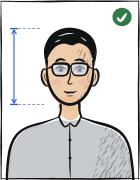
Head: 70–80 % of the photo height
Camera at eye level, about a metre away; head and shoulders in the shot. The tool crops it to the required size.
Glasses
Clear lenses only, no glare
If you wear glasses, check the shot: no glare on the lenses, eyes clearly visible.
Expression and gaze
Neutral expression, mouth closed, eyes open
Look straight into the lens with your head level; keep hair away from your eyes and eyebrows.
A Zambian visa is applied for online through the e-visa portal of the Department of Immigration, with a clear passport-style photograph, a passport copy and the documents of the purpose of visit.
Zambia e-Visa portal (Department of Immigration)online
zambiaimmigration.gov.zm — Kent Building, Haile Selassie Road, Lusaka
Processing
See the Department of Immigration
Cost
USD 50 single entry, USD 80 double entry, USD 150 multiple entry, plus 1.1 % (brochure of 2019)
A clear passport-style photograph as jpeg, tiff or png; not the photo from the passport.
Department of Immigration of Zambia, «Visa Requirements by Purpose of Visit»: business — a passport sized photo, a passport copy of the applicant, a cover letter on company letterhead, an invitation from the host company, a certified copy of the host's certificate of incorporation; school — a passport sized photo, a passport copy, a cover letter on school letterhead, an acceptance letter, the status of the host or guardian; tourist and KAZA — a passport sized photo, a passport copy, a signed cover letter from the applicant, a hotel booking and a copy of the return air ticket; transit — a passport sized photo, a passport copy and a signed cover letter; ordinary visitor — a passport sized photo, a passport copy, a cover letter from the host in Zambia with the host's address and phone number, a copy of the return air ticket, an optional hotel booking and the status of the host (a copy of the NRC or immigration permit).
Same page: the lists for a diplomat, an official visit and a religious visit also include a passport sized photo; «All Documents must be in jpg, png or tiff formats»; the «status of host» is the immigration status of the person hosting the visitor, for example a Zambian National Registration Card; persons on study, visiting, temporary employment and temporary permits cannot invite visitors; transit visas for nationals who need a visa and transit by land are valid for a maximum of seven days.
e-Visa brochure (PDF, 2019), «Upload documents»: all documents required are converted into jpeg, tiff or png formats; «Ensure that you have in place a clear passport style photograph [jpeg, tiff or png]. Do not upload the photo from your passport.» The brochure lists the e-visa fees — USD 50 for a single entry and for the KAZA UniVisa, USD 80 for a double entry, USD 150 for a multiple entry — plus an administrative charge of 1.1 %; entry visas are valid for 90 days from the date of first issuance, except for US nationals whose multiple-entry visas are valid for three years on a reciprocal basis.
Questions
Frequently asked questions
What are the photo requirements for the Zambia e-visa?
A clear passport-style photograph as a jpeg, tiff or png file; the brochure says not to upload the photo from your passport.
What size is a Zambia visa photo?
The Department of Immigration says «passport sized» and gives no millimetres or pixels.
How much is the Zambia e-visa?
The 2019 brochure lists USD 50 for a single entry, USD 80 for a double entry and USD 150 for a multiple entry, plus a 1.1 % administrative charge.
What size is the Zambia visa photo?
The Zambia visa photo requirements are in the table above. The head occupies 70–80% of the photo height.
What background does the Zambia visa require?
Plain light background without textures or noticeable gradients. The wall should be evenly lit, with no shadow around the head and no pattern. You don’t need a studio backdrop: the tool sets the right background colour.
How recent must my visa photo be?
Consulates usually ask for a photo taken within the last six months, sometimes within three. Take a new one that looks like you today.
Can I use the same photo for different Zambia visa types?
Often yes, but not always: tourist, student, work and transit visas can have different size or background rules. Compare the requirements of each Zambia visa — if they match, one photo will do.
What if the visa application is rejected because of the photo?
We refund the payment in full. Email us within 14 days of purchase with your order number and the consulate’s rejection notice.
Can I wear glasses in the Zambia visa photo?
Clear glasses only, no reflections; sunglasses prohibited. If you keep them on, tilt them slightly downwards by lifting the arms a little above your ears: this usually moves reflections of a window or lamp off the lenses.
Zambia visa photo: can I wear a hijab or another religious head covering?
Religious reasons only; must not cover the facial oval. The face must stay fully visible from chin to forehead and on both sides, with no shadow across it.