Skip to content

Uzbekistan id card photo 35 × 45 mm

Updated

Quick answer: This Uzbekistan id card preset uses 35 × 45 mm with if the official source does not publish a separate background rule, use a plain light background without textures, shadows, or foreign objects. Head occupies 70–80% of photo height. Neutral expression, see glasses rule. It is based on official general guidance; verify the final submission route on the authority portal. Last verified .

Source-backedOfficial authority link
Free preview€4.99 to download HD
14-day refundIf rejected by authority
Official — generalVerified 2026-05-17
Create id card photo — free preview

No registration · result in 60 seconds

100% refund if the authority rejects the photo Refund policy →
Compiled and cited by Yevhen Kravchenko — pending external review Last cited Editorial policy

Photo requirements

Format35 × 45 mm
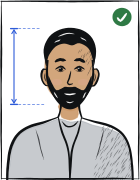
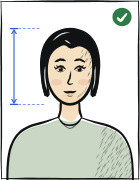
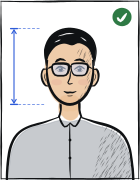
Head height70–80% of photo height
BackgroundIf the official source does not publish a separate background rule, use a plain light background without textures, shadows, or foreign objects.
PoseFull face, head centred, no tilt or rotation.
ExpressionNeutral expression, mouth closed, eyes open.
GlassesEyes must be fully visible; no tinted lenses or strong reflections. See full rules →
LightingShadows, overexposure, and reflections not permitted.
Digital resolutionCheck the authority portal before digital upload
File formatJPEG · sRGB / 24-bit
File sizeCheck the authority portal before upload

How a id card photo is verified

Uzbekistan national ID card photos are administered through the **Unified Interactive Government Services Portal (my.gov.uz)**. The format is 35×45mm with head 34.5mm (same as Uzbekistan biometric passport). White background, JPEG up to 240KB. The Uzbek national ID card is a biometric chip card issued in coordinated workflow with the biometric passport at MVD offices. ICAO 9303 baseline.

Local application route

AuthorityUnified Interactive Government Services Portal of Uzbekistan
SourceUzbekistan ID card application service
Verified
ConfidenceOfficial — general
What the source confirms
  • The my.gov.uz ID-card service says the applicant submits the online request through the portal.
  • After submission, the applicant visits data-collection points.
  • Those points are migration and citizenship departments of internal affairs bodies.
  • The workflow includes biographic data entry, electronic fingerprint collection and photographing.
  • This confirms an authority-capture route rather than an applicant-supplied photo upload route.
Still conservative because
  • The official service page confirms in-person photographing at data-collection points, but not an applicant-supplied photo size.
  • Some generation prompt fields use conservative biometric fallback wording because the official public source does not publish them separately.

What makes a Uzbekistan id card photo accepted

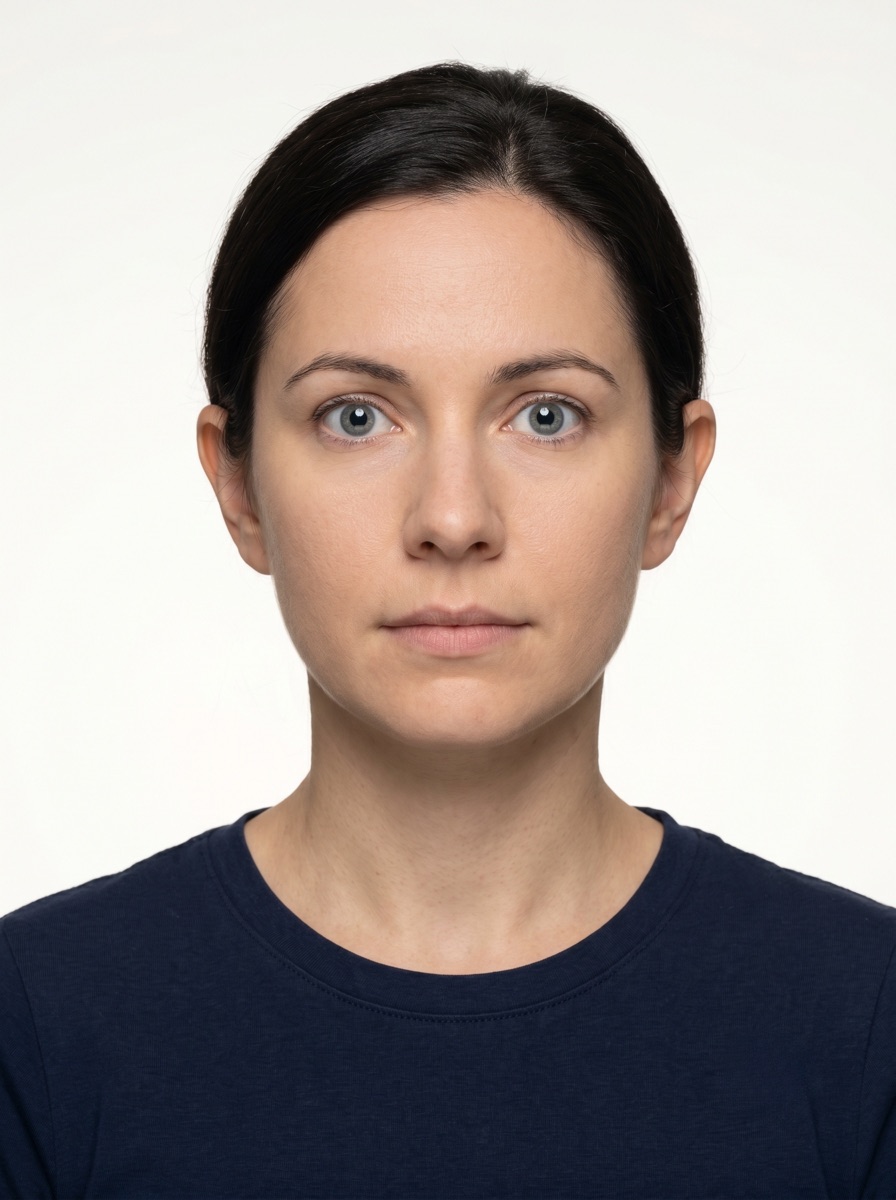
One compliant example next to the six most common rejection causes for Uzbekistan id card applications. The final decision always belongs to Unified Interactive Government Services Portal of Uzbekistan, but these are the differences that most often determine whether a document photo is accepted.

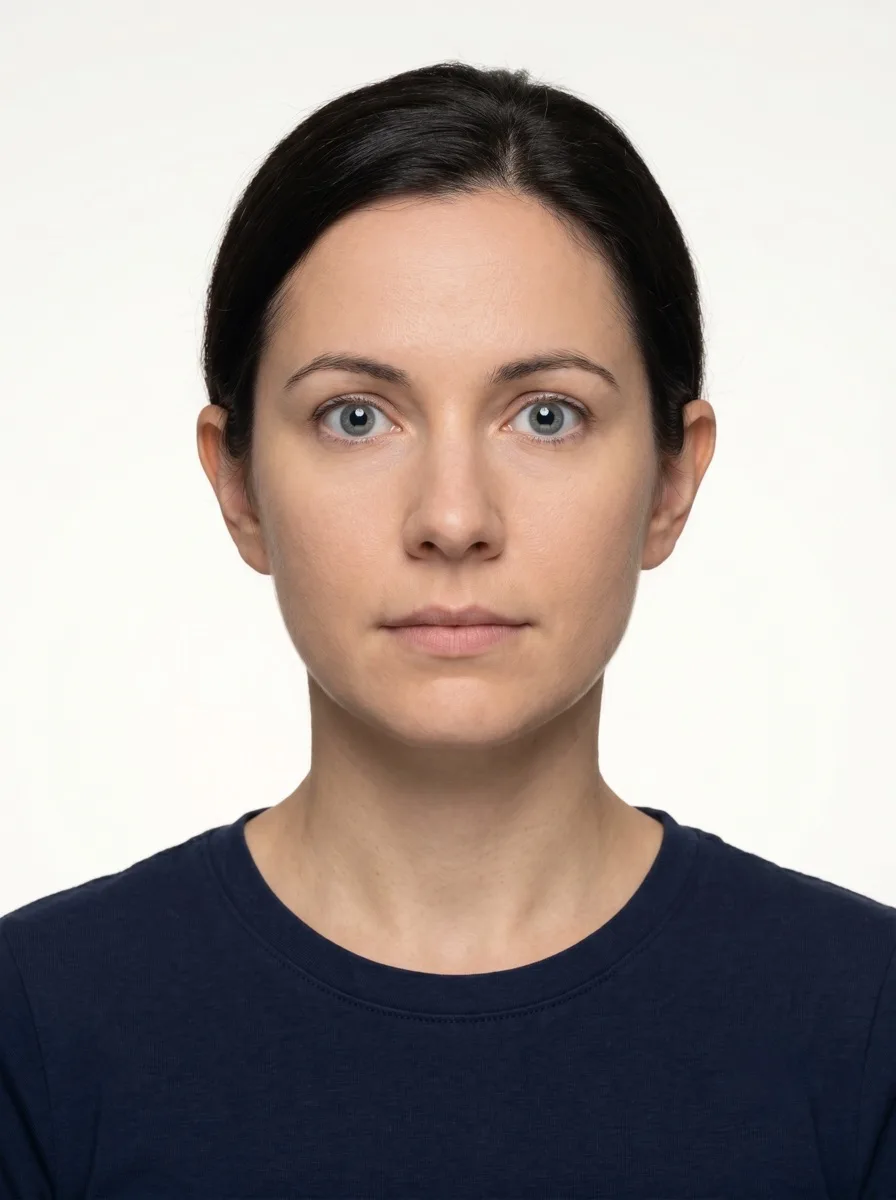
✓ Accepted Compliant Uzbekistan id card photo example (35 × 45 mm) — centered face, plain background, neutral expression, eyes open, even frontal lighting. Meets Unified Interactive Government Services Portal of Uzbekistan biometric requirements.

Compliant Uzbekistan id card example (35 × 45 mm)

  • Face centred, looking directly into the lens
  • Plain background — no shadow, pattern or texture
  • Neutral expression, eyes open, mouth closed
  • No glasses, no hair across the face

Top 6 Uzbekistan id card rejection causes

Rejected Uzbekistan id card photo example — shadow on the wall behind the head, or background with a visible pattern or gradient. Unified Interactive Government Services Portal of Uzbekistan would reject this for id card applications.
Background shadow Uzbekistan id card: Shadow on the wall behind the head, or background with a visible pattern or gradient
Rejected Uzbekistan id card photo example — visible smile with teeth or open mouth instead of a neutral expression. Unified Interactive Government Services Portal of Uzbekistan would reject this for id card applications.
Smile / open mouth Uzbekistan id card: Visible smile with teeth or open mouth instead of a neutral expression
Rejected Uzbekistan id card photo example — glasses with a clearly visible light reflection covering part of the eye. Unified Interactive Government Services Portal of Uzbekistan would reject this for id card applications.
Glasses with glare Uzbekistan id card: Glasses with a clearly visible light reflection covering part of the eye
Rejected Uzbekistan id card photo example — loose hair strands covering the eyes, eyebrows or part of the face. Unified Interactive Government Services Portal of Uzbekistan would reject this for id card applications.
Hair across the face Uzbekistan id card: Loose hair strands covering the eyes, eyebrows or part of the face
Rejected Uzbekistan id card photo example — eyes looking to the side instead of directly into the camera lens. Unified Interactive Government Services Portal of Uzbekistan would reject this for id card applications.
Eyes off-camera Uzbekistan id card: Eyes looking to the side instead of directly into the camera lens
Rejected Uzbekistan id card photo example — head tilted so the eye line is no longer horizontal. Unified Interactive Government Services Portal of Uzbekistan would reject this for id card applications.
Head tilted Uzbekistan id card: Head tilted so the eye line is no longer horizontal
Current profile Format: 35 × 45 mm Head: 70–80% Background: If the official source does not publish a separate background rule, use a plain light background without textures, shadows, or foreign objects.

Prepare your Uzbekistan id card photo

Upload a portrait — the tool crops, removes the background and checks compliance against the 35 × 45 mm rule automatically.

How to take a Uzbekistan id card photo correctly

Background setup

Stand 1–2 metres from a light-coloured wall. If the official source does not publish a separate background rule, use a plain light background without textures, shadows, or foreign objects. The photo will be printed on a card and viewed many times — any background imperfection is amplified at the small print size of an ID card.

Lighting

Face a window for diffused natural light. Even illumination prevents shadows under the chin or beside the nose that look minor in preview but become prominent at card-print scale.

Head position

Camera at eye level, head straight, looking directly at the lens. Identity cards are checked at banks, polling stations and government offices over a 5–10 year validity — submit a photo that will still match in years to come.

Shoulders and frame

Square shoulders, both visible in the frame, head and shoulders centred. Uzbekistan ID cards typically print the photo at a small fixed size — proportions matter more than absolute pixel resolution.

Eyewear

Eyes must be fully visible; no tinted lenses or strong reflections Identity cards have long validity periods. Removing glasses for the shoot prevents glare-related re-verification problems years from now.

Expression

Neutral expression, mouth closed, eyes open. Identity cards must show your natural everyday appearance — neither a stylised portrait nor a candid photo. Imagine you are renewing a library card.

Attire

Dress as you would on a normal day. Avoid white or pale tops against light backgrounds. Solid dark colours work best. Religious head covering is allowed only where consistently worn in daily life and supported by your application.

Photo recency

The photo must reflect your current appearance. If your hair, beard or weight has changed significantly since you would naturally have a recent photo of yourself, take a new one for the application.

Authority rejection codes

Unified Interactive Government Services Portal of Uzbekistan publishes the following rejection codes. Knowing the exact code on your notice tells you precisely what to fix in the reshoot.

CodeReasonFix
UZ-ID-01 Head height not 34.5mm Re-shoot at correct distance
UZ-ID-02 Background not pure white Re-shoot against white backdrop
UZ-ID-03 Digital file over 240KB Re-encode at lower quality

Uzbekistan-specific things to know

Top reasons Uzbekistan id card photos get rejected

Frequently asked questions

This Uzbekistan id card preset uses 35 × 45 mm based on the official guidance available for this route. Use the 70–80% head-height profile unless the authority portal gives a more specific instruction. The photo must reflect your current everyday appearance.

Related documents

Compare

Photo rules & guides

Anfas.Pro is an independent tool and is not affiliated with any government authority. The final decision to accept or reject a document photo rests solely with the issuing authority. Requirements change — always verify on the official authority portal before submitting.