Crop a photo to 35 × 45 mm — Japan My Number card
Upload a photo — the frame is already set for a Japan My Number card. Ready to print or upload.
Document
No sign-up · no watermarks · your photo stays in your browser
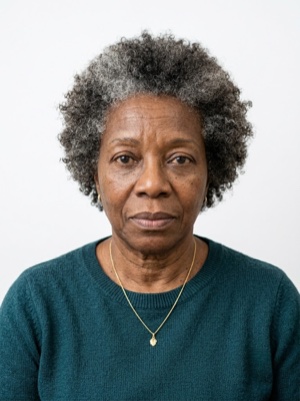
Want studio precision?AI correction fixes the light, shadows, clothing and pose — to the document's rules.€2.99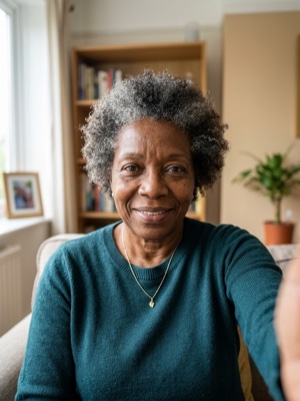
Exact numbers for this document
| Parameter | What it must be |
|---|---|
| Print size | 35 × 45 mm |
| Pixels at 300 dpi | 413 × 531 px |
| Pixels at 600 dpi | 827 × 1063 px |
| Aspect ratio | 7:9 |
| Head, share of height | 70–80% of photo height |
| Background | Plain background without foreign objects. |
| Glasses | Clear glasses only, no reflections; sunglasses prohibited. |
| Head covering | No headwear. |
What these millimetres work out to
- In a 35 × 45 mm frame a head band of 70–80% is 31.5–36 mm from the chin to the crown.
- Of the 45 mm of height that leaves 9–13.5 mm for the gap above the crown and the space below the chin together.
- At 300 dpi that is a head 372–425 pixels tall — below 372 px the file is too small to print, however good the crop is.
How to crop it, in three steps
- 01
Upload a photo taken face-on, in even light
- 02
The tool finds the face and aligns the frame itself — check that the head lands in 70–80%
- 03
Save the 35 × 45 mm result — print it or attach it to the application
Do not confuse it with another Japan document
Japan does not use one frame for everything. This page is about My Number card — 35 × 45 mm. The documents below are cut to a different size, so a file prepared here will not fit them.
What we fix for free, and what AI fixes
Fixed for free
- Background. Replaced with the one this document asks for: plain background without foreign objects.
- Head tilt. Straightened if the head leans slightly to one side.
- Frame. Exactly 35 × 45 mm, by the document’s rules.
- A light shadow on one side of the face. Gently brightened.
- File and print sheet. A file to the document’s rules and a 10 × 15 or A4 sheet to print.
What can't be fixed for free, AI correction fixes
- Hard shadows and uneven light on the face.
- A smile, raised brows or a half-open mouth. Cropping keeps the face it was given.
- Too few pixels. If the original is smaller than 413 × 531 px, enlarging it only blurs the face.
- Clothing and pose. Shoulders out of frame, body turned away from the camera.
Glare on the lenses. Take the glasses off or turn away from the light source and shoot again.
Why these photos get rejected — and how to fix each one
Japan-specific things to know
- Japan allows black-and-white photos and sets file limits for the online application: JPEG, RGB, 20 KB–7 MB, 480–6000 pixels in both directions — CMYK files are refused.
- The photograph is reduced to 2.75 × 2.20 cm on the card, which is why the face must stay clearly visible; a hat, a thick frame or a long fringe are among the listed failures.
- The site spells out the cases of people who cannot meet the standard — an eye that cannot open, bandages, infants or bedridden people — and how to report them.
Printing on a single sheet
4 × 2 frames fit on one 10×15 cm sheet — 8 copies from a single print.
Print at 100% scale, borderless, and turn off fit-to-page so each photo keeps its exact size.
10 × 15 cm · 4 × 6″Photos: 8 (4 × 2)
A4 · 21 × 29.7 cmPhotos: 36 (6 × 6)
Where these numbers come from
Source: My Number Card general site, Japan Agency for Local Authority Information Systems (J-LIS). Last checked against the official page on 1 Oct 2026.
What the source confirms
- My Number Card general site (J-LIS), «Face photo checkpoints», the photograph: taken within the last 6 months; front view, no hat, plain background; a black-and-white photo is acceptable; photos processed so that face-to-face identity verification is hindered are not acceptable.
- Same page, the size: by post — 4.5 cm high × 3.5 cm wide, with the name and the date of birth written on the back; online — file format jpeg, colour mode RGB (CMYK and others are not accepted), file size 20 KB to 7 MB, pixel size width 480–6000 and height 480–6000; images processed with image-editing software may not be accepted; the card carries the photo reduced to 2.75 cm high × 2.20 cm wide.
- Same page, unavoidable reasons: if a suitable photograph cannot be taken — for example because an eye cannot be opened owing to illness — the reason is written in the name box on the face of the application form, or the applicant phones the My Number free line (0120-95-0178) with the application ID; the municipal counter may ask about the circumstances when the card is handed over; photos can also fail for reasons other than the standard, such as being dark or impossible to crop.
- Same page, coverings and special cases: people who keep the head covered for religious or medical reasons with the outline of the face visible (turban, hijab), people who habitually wear a wig, hat, eye patch or sunglasses for medical reasons and people with bandages may use such a photo; infants, people with disabilities and bedridden people who cannot stay upright may be photographed face-on lying on a plain light-coloured sheet, and a helper who holds or supports them must not appear in the picture.
- Same page, unacceptable examples: the face off-centre, turned sideways or tilted; a chair, shadow or pattern in the background; glasses or a hairband hiding part of the face, a frame over the eyes, a very thick frame, light reflected in the glasses; a wide hairband or a hat hiding the head; sunglasses; decorations hiding the outline of the face or the facial organs; a fringe too long to show the eyes; a hair volume that makes the face small; red eyes from flash; a face markedly different from the usual one; a shadow on the face; blur or camera shake; digital noise, dots or ink bleed, jagged edges, deformation or masking applied by image processing.
Questions people ask before cropping
What size must a My Number card photo be in Japan?
35 × 45 mm. 70–80% of photo height.
How many pixels is 35 × 45 mm when printed?
413 × 531 px (300 dpi) · 827 × 1063 px (600 dpi).
How much of the frame should the head take?
70–80% of photo height.
What background does this document need?
Plain background without foreign objects.
What can’t be fixed here for free?
Hard shadows and uneven light on the face. A smile, raised brows or a half-open mouth. Cropping keeps the face it was given. Clothing and pose. Shoulders out of frame, body turned away from the camera. AI fixes this from the same photo — you see the result before paying.
How many photos fit on one 10×15 cm sheet?
4 × 2 frames fit on one 10×15 cm sheet — 8 copies from a single print.