SourceUnified Interactive Government Services Portal of Uzbekistan
Verified
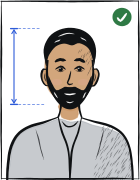
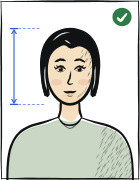
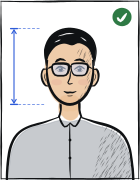
Quick answer: The recommended Uzbekistan driver's license photo size is 30 × 40 mm. Plain light background without textures, shadows, or foreign objects. Head occupies 70–80% of photo height. Neutral expression, clear lenses only, no glare. Last verified .
Uzbekistan driver's license photo: size in mm, cm, inches and pixels
Millimetres
30 × 40 mm
Centimetres
3 × 4 cm
Inches
1.18 × 1.57″
Pixels at 300 dpi
354 × 472 px
Pixels at 600 dpi
709 × 945 px
Uzbekistan-specific things to know
On-site capture at DTS centers after exams
How driver's license photos are verified
Uzbekistan driver license photos are administered by the Department of Traffic Safety (DTS) under MVD (Ministry of Internal Affairs). The print format is 30×40mm; no head height is published for the driving licence.
Read more
White background. Photo typically captured on-site at DTS centers during driver license issuance after passing theory and practical exams. Color photo only, taken within 6 months.
ICAO 9303 baseline compliant.
Examples and mistakes
What makes Uzbekistan driver's license photos accepted
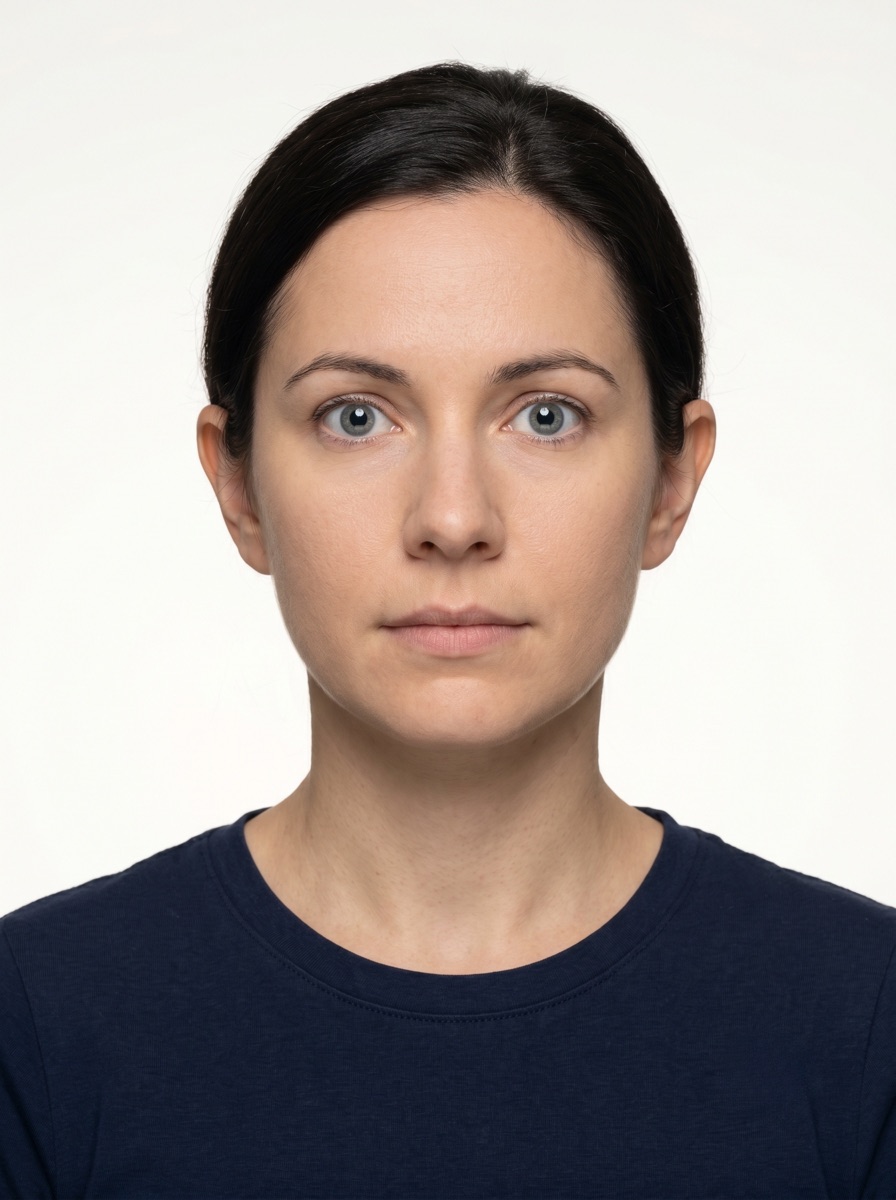
A photo that will be accepted, next to the six most common reasons Uzbekistan driver's license photos get rejected.
Accepted
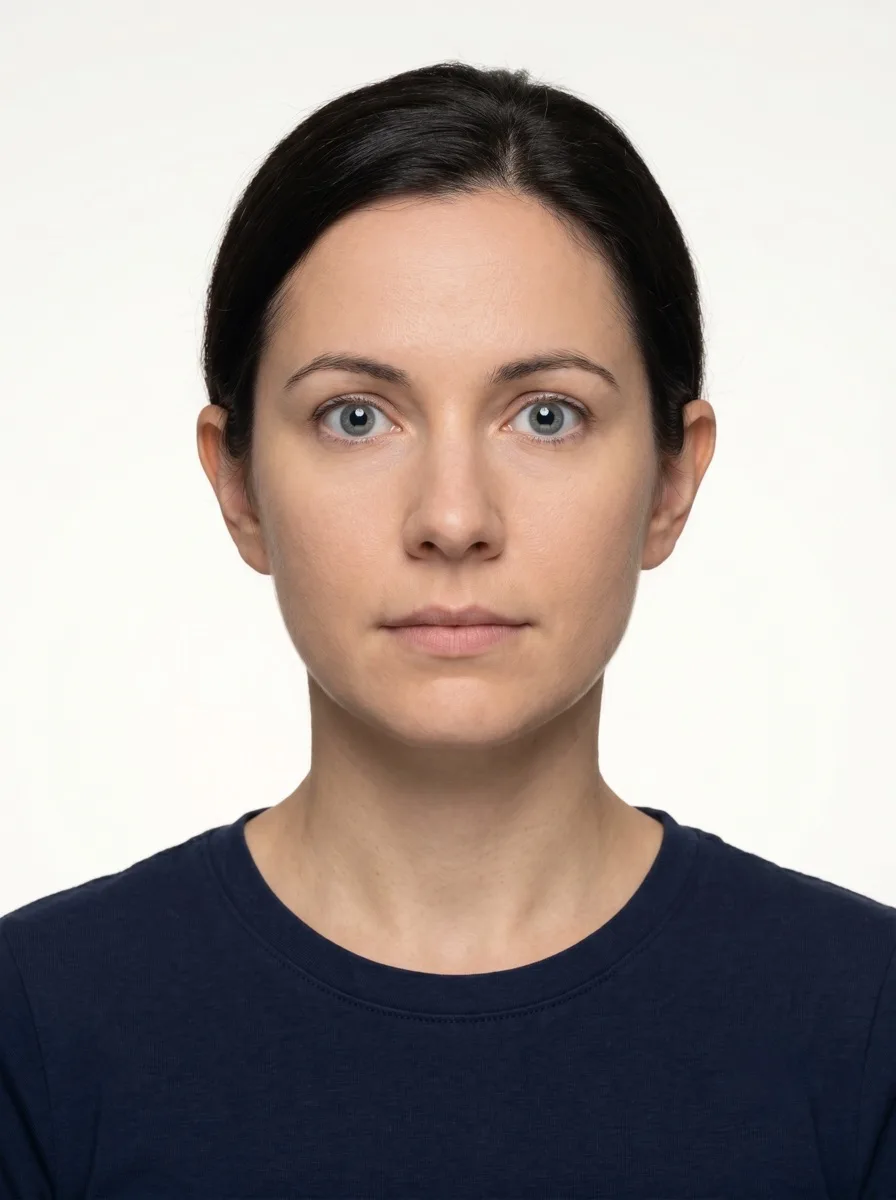
Compliant Uzbekistan driver's license example (30 × 40 mm)
Face centred, looking directly into the lens
Plain background — no shadow, pattern or texture
Neutral expression, eyes open, mouth closed
No glasses, no hair across the face
Top 6 Uzbekistan driver's license rejection causes
Background shadowShadow on the wall behind the head, or background with a visible pattern or gradient
Smile / open mouthVisible smile with teeth or open mouth instead of a neutral expression
Glasses with glareGlasses with a clearly visible light reflection covering part of the eye
Hair across the faceLoose hair strands covering the eyes, eyebrows or part of the face
Eyes off-cameraEyes looking to the side instead of directly into the camera lens
Head tiltedHead tilted so the eye line is no longer horizontal
How to take your Uzbekistan driver's license photo correctly
Background and light
Background: plain light
The tool puts in the required background. Stand half a metre from a plain light wall, face a window and shoot without flash — then there are no shadows on your face or on the wall.
Framing
Head: 70–80 % of the photo height
Camera at eye level, about a metre away; head and shoulders in the shot. The tool crops it to 30 × 40 mm.
Glasses
Clear lenses only, no glare
If you wear glasses, check the shot: no glare on the lenses, eyes clearly visible.
Expression and gaze
Neutral expression, mouth closed, eyes open
Look straight into the lens with your head level; keep hair away from your eyes and eyebrows.
The my.gov.uz driver-licence service says the applicant submits the request through the portal.
During application formation, the user consents to using the image from the ID card or biometric passport.
If the user refuses reuse of that image, they visit a public service centre or territorial road-safety registration/exam unit.
The visit is for taking a new photo for the driving licence.
The source confirms an authority-managed image route rather than an applicant-supplied print-photo workflow.
Questions
Frequently asked questions
The recommended size for the Uzbekistan driver's license photo is 30 × 40 mm. The head occupies 70–80% of the photo height. The photo is printed on the card and stays there for years, so use one that looks like you every day.
Plain light background without textures, shadows, or foreign objects. Light should fall evenly on your face from the front, without shadows: face a window and turn off the flash.
Eyes must be fully visible; no tinted lenses or strong reflections. Many offices allow the glasses you need for driving, as long as your eyes are clearly visible and there are no reflections on the lenses. Tinted or darkened lenses are not accepted.
Most offices ask for a photo taken within the last six months. Use an everyday photo rather than a styled portrait — the licence stays valid for years.
No. The rules are the same as for a passport: neutral expression, mouth closed, eyes open, looking straight into the camera.
We refund the payment in full. Email us within 14 days of purchase with your order number and the rejection notice from the Uzbekistan licensing office.
30 × 40 mm = 3 × 4 cm = 1.18 × 1.57 inches. At 300 dpi that is 354 × 472 pixels; at 600 dpi, 709 × 945 pixels.