Compress a photo to 20 KB online — free, in your browser
20 KB is a hard target: the tool combines quality search with smart downscaling so the face stays recognisable. For the strictest application portals.
No sign-up · no watermarks · your photo stays in your browser
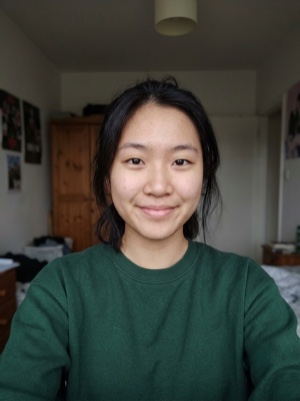
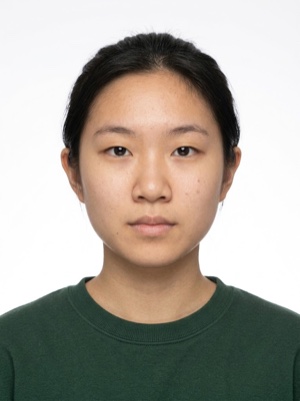
A heavy photo, under the portal’s limit
Compress a photo to 20 KB online: quality search plus smart downscaling keep the face recognisable even at this size. Free, runs in your browser.
- 01
Upload the photo the portal rejected as too large.
- 02
The tool searches for the best quality and pixel size under 20 KB.
- 03
Check the face in the preview and download the file.
Portals that accept tiny files
Compressing is free. A document photo — by the AI
Free, right here
- 01Everything right in your browser
- 02No watermarks
- 03The photo stays on your device
- 04As many times as you like
No sign-up, no card.
AI correction
When adjusting the file is not enough: fixes light, shadows, clothing and pose and makes the photo to the document’s rules. You see the result before paying.


If it’s rejected, we refund you
Make a document photoFrequently asked questions about document photos
Who asks for photos under 20 KB?
Mostly Indian government portals: exam registration and job application systems are known for 10–20 KB caps on the photo field. India's e-Visa portal likewise accepts photos starting from just 10 KB. The limits come from older systems, but they are enforced strictly.
How can a photo stay usable at only 20 KB?
The trick is the pixel size. At 20 KB a 1200 px photo turns to mush, but a 300–400 px portrait keeps clean JPEG blocks — and that is exactly the display size most portals use. The tool balances quality and dimensions automatically instead of blindly crushing quality.
Will 20 KB be enough for printing?
No — a 20 KB file is meant only for the upload field it was made for. For printing, keep the original photo and use the print layout tool at 300 DPI. Uploading the tiny version anywhere else will look noticeably soft.