India OCI card photo rejected — reasons and how to fix each
The Ministry of Home Affairs' OCI (Overseas Citizen of India) portal publishes a photo rule that catches out even careful applicants: the background must be plain and light-coloured, but specifically not white — unlike most square passport-style photos, including India's own passport and visa photos. Some visa-processing centres still tell applicants to use a white background, which conflicts with the portal's own published instructions.
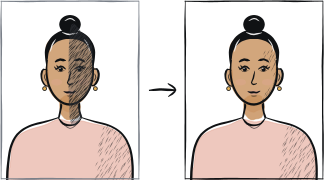
Fast diagnosis
Key checks: white background instead of light-coloured, file over 200 KB, face not filling 80% of frame
The single most confusing cause is background colour: the official OCI FAQ asks for a plain light-coloured background that is explicitly not white, while some visa centres processing OCI paperwork still describe the requirement as plain white. After that, the common causes are a digital file over the 200 KB cap and a face that does not fill roughly 80% of the square frame.
7 common rejection checks
Background pure white instead of a light colour
The OCI FAQ specifically asks for "a plain light colour background (not white)" — the opposite of the white-background rule used by most passport-style photos. A photo shot against a white wall or a white studio backdrop is the common OCI photo mistake.
Following a white-background instruction from a visa centre instead of the government FAQ
Applicants have reported visa-processing centres handling OCI paperwork describing the background as plain white, which conflicts with the published ociservices.gov.in FAQ.
Face not filling about 80% of the frame
The published specification asks for the face to cover roughly 80% of the photograph, front view, full face, head and shoulders — a wider, waist-up shot leaves too much background and too little face.
Photo not square, or smaller than 51 × 51 mm
The physical photo must be square — equal height and width — and not less than 51 × 51 mm (close to 2 × 2 inches). A rectangular crop, or a print smaller than this, fails the shape check.
Digital file over 200 KB
The OCI portal caps the uploaded photograph at 200 KB. A modern phone photo saved at full quality is usually well above this and needs compressing before upload.
Digital pixel dimensions outside 200 × 200 to 900 × 900 px
The portal accepts a JPEG/JPG between a minimum of 200 × 200 pixels and a maximum of 900 × 900 pixels. A file outside this range, in either direction, is rejected at upload.
Border, frame or writing added around the photo
The published rule calls for a plain photograph without a border. A printed frame, caption or signature added to the image itself is a common, avoidable cause of rejection — submit a clean, unedited photo.
5-step recovery checklist
Shoot against a plain, light-coloured background — light grey, cream or a pale colour — and avoid pure white, whatever a visa centre may tell you; the government FAQ is the rule the portal itself checks against.
Frame a front-view head-and-shoulders shot so your face fills about 80% of the square.
Crop to an exact square at least 51 × 51 mm — equal height and width, not a rectangle.
Export as a JPEG/JPG between 200 × 200 and 900 × 900 pixels, and compress it until the file is at or under 200 KB.
Submit the plain photograph with no border, caption or signature added to the image.
Frequently asked questions
01Should my OCI photo have a white background or a light-coloured one?
Light-coloured, not white. The official ociservices.gov.in FAQ specifically asks for "a plain light colour background (not white)" — the opposite of the white background most passport-style photos use. Some visa-processing centres have been reported to ask for white instead.
02What is the maximum file size for an OCI photo upload?
The government portal caps the digital photograph at 200 KB, with pixel dimensions between 200 × 200 and 900 × 900. Compress a modern phone photo before uploading — most are saved well above this limit at full quality.
03Can I reuse my Indian passport or visa photo for my OCI application?
Not safely. An Indian passport photo uses a 35 × 45 mm frame on a white background, and most Indian visa photos follow a similar rectangular, white-background standard — both conflict with the OCI portal's square 51 × 51 mm, light-coloured-not-white requirement. Take a separate photo to the OCI specification.
Other rejection guides





Show all 33Collapse














Official sources
Verified .
Reshoot in 2 minutes
Upload a fresh portrait — Anfas.Pro applies the correct crop, background and biometric framing automatically and shows the result before you pay.