Pakistan visa photo rejected — NADRA reasons and how to fix each
Pakistan's visa applications run through NADRA's Pakistan Online Visa System, which frames the photo like a classic 35 × 45 mm print but submits it as a small digital file — the official guidance caps the upload at 350 KB, tighter than many applicants expect from a modern portal, and bans glasses outright rather than allowing them under conditions.
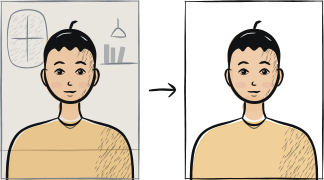
Fast diagnosis
Key checks: file over the 350 KB upload cap, glasses worn, background not plain white
Common checks include a digital file over the 350 KB cap used by the Pakistan Online Visa System, wearing glasses of any kind — NADRA guidance asks for clearly visible eyes with no glasses at all, not just no glare — and a background that is not plain white.
7 common rejection checks
Digital file over the 350 KB upload cap
NADRA's Pakistan Online Visa System caps the photograph upload at 350 KB. A high-resolution phone photo is often several megabytes and needs compressing first — an oversized file is rejected by the portal before your application can proceed.
Glasses worn
NADRA guidance calls for eyes that are clearly shown, and in practice this is applied as no glasses at all rather than just no glare — remove any glasses for the photo rather than relying on a glare-free pair.
Background not plain white
The photograph must be taken against a plain white background. A cream, grey or unevenly lit wall is rejected even when the framing and file size are otherwise correct.
Wrong framing — not a 70-80% close-up of head and shoulders
The guidance asks for a close-up of the head and top of the shoulders so the face fills 70-80% of the photograph. A wider crop that includes too much of the body, or a tighter one that touches the hairline, is rejected.
Head covering hides the chin, forehead or edge of the face
Head coverings are permitted, but the facial features from the bottom of the chin to the top of the forehead and both edges of the face must stay clearly shown. A covering that shadows the cheeks or crosses the chin line causes rejection.
Shadows or flash reflections on the face
The guidance calls for uniform lighting with no shadows or flash reflections on the face and no red-eye. Direct on-camera flash in a dim room is a common cause of both faults at once.
Photo older than 6 months
NADRA asks for a recent photograph, taken within the last six months. An older photo is rejected even if you still look the same.
5-step recovery checklist
Compress the digital file to fit under the 350 KB cap before uploading — most phone photos need this step.
Remove glasses for the shot rather than assuming a glare-free pair will pass.
Shoot against a plain white wall with even daylight, no shadows and no direct flash.
Frame a close-up of the head and top of the shoulders so the face fills 70-80% of the photo, with both edges of the face visible.
Use a tool that exports the file already sized and compressed under 350 KB, so the portal upload does not fail on file size.
Frequently asked questions
01What is the maximum file size for a Pakistan visa photo upload?
350 KB, according to NADRA's Pakistan Online Visa System guidance. A typical high-resolution phone photo is several megabytes, so it almost always needs compressing before it will pass the online upload.
02Can I wear glasses in a Pakistan visa photo?
It is safest to remove them. NADRA guidance calls for clearly visible eyes, and in practice this is treated as no glasses at all rather than just no glare on the lenses — plan to photograph without any eyewear.
03Does a Pakistan visa photo need to be printed or can I upload a digital file?
The Pakistan Online Visa System accepts a digital upload framed like the classic 35 × 45 mm print, capped at 350 KB. You do not need a separately printed photo for the standard online application.
Other rejection guides





Show all 33Collapse

















Official sources
Verified .
Reshoot in 2 minutes
Upload a fresh portrait — Anfas.Pro applies the correct crop, background and biometric framing automatically and shows the result before you pay.