Singapore passport photo rejected — ICA reasons and how to fix each
Singapore's Immigration & Checkpoints Authority (ICA) runs one of the strictest recency rules of any passport authority: a photo taken within the last three months, half the six-month window most other countries allow. Combine that with an 8 MB upload cap that is far more generous than the limits other portals use, and a printed-copy rule that even a glossy, reflective print will fail, and most Singapore rejections trace back to these three details rather than to how the applicant actually looks.
Fast diagnosis
Key checks: photo older than 3 months, file over 8 MB or wrong format, glossy print finish
Common checks include a photo taken more than three months ago, a digital file that misses the 400 × 514 pixel minimum or goes over the 8 MB cap (or uses a format other than JPG, JPEG, HEIC, HEIF or PNG), and — for anyone submitting a hard copy — a glossy or reflective print instead of the required matte or semi-matte finish.
6 common rejection checks
Photo older than 3 months
ICA asks for a photo taken within the last three months — a tighter window than the six months most other passport authorities allow. A photo that still looks like you but was taken four or five months ago is rejected on this rule alone.
Digital file below 400 × 514 px or above 8 MB
ICA's e-Services upload needs a minimum of 400 × 514 pixels and a maximum file size of 8 MB. A high-resolution phone photo is often well above 8 MB and needs compressing first; an over-compressed file can fall below the pixel minimum.
Wrong file format
Only JPG, JPEG, HEIC, HEIF and PNG files are accepted through the e-Services upload. A file saved in another format is rejected before you can proceed with the application.
Printed copy has a glossy or reflective finish
For a hard-copy submission, ICA requires a matte or semi-matte, non-reflective print. A glossy studio print — the default finish at many photo counters — is rejected on finish alone, even when the image itself is correct.
Background not plain white
The photo needs a plain white background. Warm indoor lighting is a common trap: yellow-toned bulbs cast a cream tint over a genuinely white wall, which then reads as off-white once printed or reviewed on screen.
Head tilted or expression not neutral
ICA's specification is based on ISO and ICAO standards, which call for a level, forward-facing head position and a neutral expression with the mouth closed. A tilted head or a smiling, open-mouth photo is rejected under the same baseline.
5-step recovery checklist
Take a new photo rather than reusing one from more than three months ago, even if you have not changed much.
Export the digital file at least 400 × 514 pixels and check it lands under 8 MB in JPG, JPEG, HEIC, HEIF or PNG format.
Keep your head level and facing the camera, with a neutral expression and your mouth closed.
Shoot against a plain white background lit by daylight rather than warm indoor bulbs, which can cast a cream tint.
If you need a hard copy, print on matte or semi-matte paper — ask specifically for a non-reflective finish, not the standard glossy option.
Frequently asked questions
01How recent does a Singapore passport photo need to be?
Within the last three months. This is tighter than the six-month window many other passport authorities allow, so a photo that still resembles you but was taken four or five months ago is rejected. Plan to take a fresh photo close to your actual application date rather than reusing an older one.
02What is the maximum file size for a Singapore passport photo upload?
8 MB, for a digital file at least 400 × 514 pixels in JPG, JPEG, HEIC, HEIF or PNG format. This 8 MB cap is easy to confuse with the much smaller limits used by other countries' portals.
03Can I submit a printed photo instead of uploading one for a Singapore passport?
Yes, but ICA requires the print to have a matte or semi-matte, non-reflective finish. A standard glossy studio print is rejected on finish alone, so specify a matte print when you order one rather than accepting the default option.
Other rejection guides





Show all 33Collapse


















Official sources
Verified .
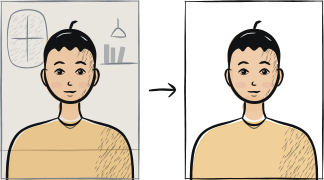
Reshoot in 2 minutes
Upload a fresh portrait — Anfas.Pro applies the correct crop, background and biometric framing automatically and shows the result before you pay.