Canada visa photo rejected — IRCC reasons and how to fix each
IRCC checks visa photos against a published specification, and the portal rejects a file before a human ever sees it. The frame is at least 35 × 45 mm — the same as Schengen — but the head rule is measured in millimetres rather than as a share of the frame, which is where most reused photos fail. This guide covers the seven common Canadian visa photo rejection causes.
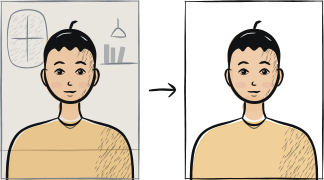
Fast diagnosis
Key checks: head height, background, file size
The three common IRCC rejection causes are: a head outside the 31-36 mm chin-to-crown rule, a background with a shadow across it, and a digital file below the published floor of 420 × 540 pixels and 60 KB. All three are fixed by retaking against a plain wall and re-cropping to the IRCC specification.
7 common rejection checks
Wrong photo size
IRCC requires a frame of at least 35 × 45 mm for visitor, study and work permit photos — the same frame as Schengen. The 50 × 70 mm size belongs to Canadian passport and PR-card photos; submitting that larger print for a visa is a common mix-up.
Head outside 31-36 mm chin to crown
Chin-to-crown must measure 31-36 mm inside the frame. Too small or too large fails the geometry check, and this is where a reused Schengen photo usually falls over.
Background not plain
IRCC asks for a plain white or light-coloured background with no pattern, objects or shadow. The frequent failure is not the shade itself but a shadow cast on the wall — stand about a metre away from it and light yourself from the front.
Glasses with tint, glare or a frame across the eyes
IRCC allows non-tinted prescription glasses as long as your eyes are clearly visible and the frame does not cover any part of them. Sunglasses are not acceptable, and a reflection across the lens fails the same check.
Smile or non-neutral expression
IRCC asks for a neutral expression with the mouth closed and the eyes open and clearly visible.
File size or resolution outside the IRCC range
The digital photo must be at least 420 × 540 pixels, JPEG or JPEG2000, in 24-bit RGB colour. The file ceiling depends on which application you are filing: for a visitor, study or work permit application IRCC asks for a file of about 240 KB and not less than 60 KB, while the online citizenship grant application accepts up to 4 MB. Reading the citizenship number and applying it to a visa upload is a common way to fail — a heavily compressed export below 60 KB is the other.
Photo older than 6 months
IRCC requires a photo "taken in the last 6 months". A clearly outdated photo is rejected at the biometric appointment.
5-step recovery checklist
Reshoot if the problem is in the shot itself — shadow, glare or expression; size and file format can be fixed on the photo you already have.
Stand about a metre from a plain white or light-coloured wall under window daylight.
Keep prescription glasses on only if the frames clear your eyes and there is no glare; remove sunglasses and tinted lenses.
Use a tool that crops to at least 35 × 45 mm with the head 31-36 mm from chin to crown.
For a visitor, study or work permit upload export at least 420 × 540 px, JPEG, around 240 KB and never under 60 KB — the 4 MB ceiling you may have read about belongs to the online citizenship application, not to this one. For a paper application, print two identical copies on photographic paper and write your name, date of birth, the date the photo was taken and the studio's name and address on the back.
Frequently asked questions
01Can I reuse my Schengen visa photo for a Canadian visa?
The frame is the same — both use at least 35 × 45 mm — but the head rule differs. IRCC measures chin to crown and requires 31-36 mm; Schengen states the face must fill 70-80% of the frame. A Schengen photo often sits outside the IRCC head range, so re-crop to the IRCC rule rather than reusing the file as is.
02Will biometric capture at the VAC fix a rejected upload?
No — the photo upload happens before the VAC appointment. You must successfully upload a valid photo with the application before the biometric appointment is scheduled. The VAC capture is for fingerprints + a fresh photo at the appointment itself.
Other rejection guides





Show all 33Collapse



















Reshoot in 2 minutes
Upload a fresh portrait — Anfas.Pro applies the correct crop, background and biometric framing automatically and shows the result before you pay.